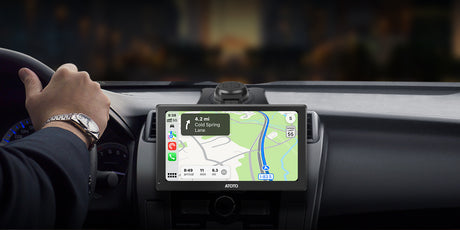
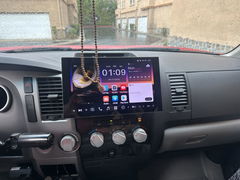
ATOTO Car Stereo, Car Audio, GPS Navigation, Wireless Carplay Adapter

Free shipping & Tax included

Arrive within 7days learn more

ATOTO A5LG2A7T Autoradio 2 Din Android, 7" Touchscreen Sistemi multimediali, Wireless CarPlay e Android Auto, Tethering di WiFi/Bluetooth/USB, Telecamera di backup, MirrorLink, 24B-EQ DSP, 2G+32G, FM/RDS

€209,90 EUR
Free shipping.
Coupon

Goes well with

30 Day Price Guarantee

  • 30 Days Hassle-Free Returns
  • Shipping from German Warehouse (Delivery in 3-7 Days)
  • Found a lower price? Contact us, and we’ll match it!

1 Year + 180 Days Warranty

We offer a comprehensive warranty on all of our products to give you peace of mind during use.

  • Warranty Period: This product comes with a 12-month standard warranty.
  • Extended Warranty: Purchasing on our official website allows you to register directly for an extended warranty, adding an extra 180 days of coverage.

For more details, please visit our [Warranty Policy].

After purchasing, please make sure to [register your product] to activate your warranty coverage.

Free Shipping & Delivery Protection

  • Free Shipping:
    All orders ship free of charge and typically arrive within 7 days.
  • 30-Day Returns:
    If you're not completely satisfied, you may return or exchange your product within 30 days.
  • Shipping Protection (Recommended):
    For added peace of mind, we recommend adding Seel Shipping Protection at checkout. With coverage, you can file claims directly for shipping delays, loss, or damage — ensuring faster processing and enhanced protection.

While we are always happy to assist with logistics-related inquiries, shipping-related compensation without added protection is subject to carrier policies and eligibility requirements.

For full details, please visit our [Shipping Policy] and [Return Policy].

Features

  • ATOTO A5 Autoradio 2 Din Android, 7" Touchscreen Sistemi multimediali, Wireless CarPlay e Android Auto, Tethering de WiFi/Bluetooth/USB, Telecamera di backup, MirrorLink, 24B-EQ DSP, 2G+32G, FM/RDS

  • Prestazioni Android-Powered: L'A5 Lite opera su sistema operativo Android, offrendo 2GB di RAM e 32GB di storage per la personalizzazione. Ricevi aggiornamenti OTA per nuove funzionalità e stabilità migliorata

Specifications

Specification Value

Host Technology Platform Name

A5-Lite
Host Technology Platform Code A5
Version Configuration in English Lite
Operating System Type Android
External SD storage support Max 128GB
External USB storage support Max 128GB
Main control chip model MT8163
Installation Size Classification Double-Din
Storage 32GB
Memory 2GB
Built-in communication module NO
WIFI hotspot connection YES, 2.4 & 5.0 Ghz
Screen material IPS / QLED
Screen Size 7.0
Wired CarPlay YES
Wireless CarPlay YES
Wired Android Auto YES
Wireless Android Auto YES

Reviews (73)

Customer Reviews

Based on 73 reviews
77%
(56)
4%
(3)
19%
(14)
0%
(0)
0%
(0)
R
Ross
Such a shame as it looks good.

There's a love/hate relationship with this head unit, when it works it's great but there's too many bugs for me to love it and would I recommend it to a friend, no. Reversing camera feed freezes thennsays no signal and had a few near misses, sometimes it likes to have the volume really low and no matter how high you put it there's no volume at all so you need to switch ignition off and on again. Had a pale blue screen 2 times now needing a reset done and customer service has been pretty poor on this issue. It can also run slow depending on whats on in the background however it should be able to run google play music and maps without running so slow. On a plus it does look slick and when working it's great but the lack of reliability means I don't recommend.

A
Alan M.
ATOTO A6 Pro product review

ATOTO A6 Pro review The ATOTO A6 Pro is an Android In-Car Entertainment system providing all the functionality of a traditional Sat Nav & Multimedia car radio system together with the capability of running Android apps. The model under review is the A6Y2721PRB from a range of similar units with varying features offered by ATOTO. It has the better 7” IPS screen and physical buttons in a universal double din case, which fits a standard fascia opening when installed with the appropriate vehicle specific fitting kit. I also fitted the ATOTO DAB+ USB adapter. Although the Android software is only version 6 the unit does benefit from ATOTO specific firmware of which the most recent version 9.5.1 was installed. This firmware is regularly updated by ATOTO to address bugs and enhance functionality. The specific functions I was expecting this unit to provide were a FM/DAB radio, Sat Nav with Live Traffic and a music player. Live Traffic meant that the unit also had to be able to maintain a connection to the internet when route guidance was in use. I installed the unit in a Fiat Ducato XLWB panel van which has been converted to a campervan (this vehicle is known as a Ram ProMaster in the USA) and it is in this context which I have reviewed the unit. Installation The unit came with a comprehensive collection of cables, antennas and ISO wiring harnesses to facilitate the installation of the unit. The only additional items needed were a vehicle specific ISO wiring harness, aerial connection converters and a fascia panel which can all be purchased as a complete kit. Once the original unit was removed the most challenging tasks were deciding where to position the external microphone, GPS antenna & wifi antenna and then routing their cables back to the unit. The wiring was mostly plug and play with some additional connections for the steering wheel controls and handbrake sensor. The only point to note is that a choice must be made between the two ISO harnesses supplied with the unit to suit the way the accessory and battery feeds are connected in the vehicle specific ISO harness. The wiring diagram in the supplied manual shows the wiring connections needed. Once everything is connected there is quite a collection of wires and connectors which need to be carefully arranged within the vehicle fascia before the unit is inserted. A benefit of not having a CD/DVD player is that the unit is shorter that many units and this helps with getting everything neatly into place. Commissioning The first time the unit is turned on it will take approximately 30-40 secs to boot up. If the correct choice of ISO harness has been made subsequent restarts will take less than a couple of secs unless the unit has been turned off for more than a few days when it will take 30-40 secs to reboot. Each of the individual apps that you chose to use will need to be configured. Ideally the unit should have internet access and the Google Play app signed on with a valid id while this is done so that it can check that the Android software is up to date. If a preferred app was not preloaded it will need to be downloaded from Google Play. In my case I wanted to choose the Sygic Truck Navigation app as I preferred routing guidance which respected the dimensions and weight of my vehicle. First impressions Once the unit had booted I could see that the screen was bright and clear with good viewing angles. The arrangement of the icons and widgets forming the standard launcher could be easily re-configured as required and with the maximum sized screen that it is possible to fit within 2DIN dimensions there is plenty of display space. The unit responded without lag to touch input or button pushes which themselves had a positive click action and being part of the lower bezel of the unit were easily located while the vehicle was moving. Across the bottom of the display was a bar containing icons for back, home, recents, notifications, equalizer profiles, brightness and mute together with a digital clock. So far as I could tell this bar is part of the ATOTO firmware and can not be changed. In practice I found it to be quite useful particularly in a moving vehicle when these icons could be precisely located by resting a finger on the lip of the bottom bezel. Touching a seek button on the radio widget turned it on and had it find a station. The sound produced using the default DSP settings was of of good quality and equally as good as that produced by the Kenwood unit it replaced. Radio The standard tuner is an integrated AM/FM/RDS tuner controlled by a proprietary app. The app has a simple interface that controls all the essential features. Favourite stations can be saved and named for direct access. As the app is proprietary it cannot be changed but this limitation aside it performed well receiving and maintaining reception of stations in all areas with reasonable signal strength. A DAB+ adapter is an ATOTO option which I selected. An app to control the reception of D...

A
Alan M.
ATOTO A6 Pro product review

ATOTO A6 Pro review The ATOTO A6 Pro is an Android In-Car Entertainment system providing all the functionality of a traditional Sat Nav & Multimedia car radio system together with the capability of running Android apps. The model under review is the A6Y2721PRB from a range of similar units with varying features offered by ATOTO. It has the better 7” IPS screen and physical buttons in a universal double din case, which fits a standard fascia opening when installed with the appropriate vehicle specific fitting kit. I also fitted the ATOTO DAB+ USB adapter. Although the Android software is only version 6 the unit does benefit from ATOTO specific firmware of which the most recent version 9.5.1 was installed. This firmware is regularly updated by ATOTO to address bugs and enhance functionality. The specific functions I was expecting this unit to provide were a FM/DAB radio, Sat Nav with Live Traffic and a music player. Live Traffic meant that the unit also had to be able to maintain a connection to the internet when route guidance was in use. I installed the unit in a Fiat Ducato XLWB panel van which has been converted to a campervan (this vehicle is known as a Ram ProMaster in the USA) and it is in this context which I have reviewed the unit. Installation The unit came with a comprehensive collection of cables, antennas and ISO wiring harnesses to facilitate the installation of the unit. The only additional items needed were a vehicle specific ISO wiring harness, aerial connection converters and a fascia panel which can all be purchased as a complete kit. Once the original unit was removed the most challenging tasks were deciding where to position the external microphone, GPS antenna & wifi antenna and then routing their cables back to the unit. The wiring was mostly plug and play with some additional connections for the steering wheel controls and handbrake sensor. The only point to note is that a choice must be made between the two ISO harnesses supplied with the unit to suit the way the accessory and battery feeds are connected in the vehicle specific ISO harness. The wiring diagram in the supplied manual shows the wiring connections needed. Once everything is connected there is quite a collection of wires and connectors which need to be carefully arranged within the vehicle fascia before the unit is inserted. A benefit of not having a CD/DVD player is that the unit is shorter that many units and this helps with getting everything neatly into place. Commissioning The first time the unit is turned on it will take approximately 30-40 secs to boot up. If the correct choice of ISO harness has been made subsequent restarts will take less than a couple of secs unless the unit has been turned off for more than a few days when it will take 30-40 secs to reboot. Each of the individual apps that you chose to use will need to be configured. Ideally the unit should have internet access and the Google Play app signed on with a valid id while this is done so that it can check that the Android software is up to date. If a preferred app was not preloaded it will need to be downloaded from Google Play. In my case I wanted to choose the Sygic Truck Navigation app as I preferred routing guidance which respected the dimensions and weight of my vehicle. First impressions Once the unit had booted I could see that the screen was bright and clear with good viewing angles. The arrangement of the icons and widgets forming the standard launcher could be easily re-configured as required and with the maximum sized screen that it is possible to fit within 2DIN dimensions there is plenty of display space. The unit responded without lag to touch input or button pushes which themselves had a positive click action and being part of the lower bezel of the unit were easily located while the vehicle was moving. Across the bottom of the display was a bar containing icons for back, home, recents, notifications, equalizer profiles, brightness and mute together with a digital clock. So far as I could tell this bar is part of the ATOTO firmware and can not be changed. In practice I found it to be quite useful particularly in a moving vehicle when these icons could be precisely located by resting a finger on the lip of the bottom bezel. Touching a seek button on the radio widget turned it on and had it find a station. The sound produced using the default DSP settings was of of good quality and equally as good as that produced by the Kenwood unit it replaced. Radio The standard tuner is an integrated AM/FM/RDS tuner controlled by a proprietary app. The app has a simple interface that controls all the essential features. Favourite stations can be saved and named for direct access. As the app is proprietary it cannot be changed but this limitation aside it performed well receiving and maintaining reception of stations in all areas with reasonable signal strength. A DAB+ adapter is an ATOTO option which I selected. An app to control the reception of D...

A
Alan M.
ATOTO A6 Pro product review

ATOTO A6 Pro review The ATOTO A6 Pro is an Android In-Car Entertainment system providing all the functionality of a traditional Sat Nav & Multimedia car radio system together with the capability of running Android apps. The model under review is the A6Y2721PRB from a range of similar units with varying features offered by ATOTO. It has the better 7” IPS screen and physical buttons in a universal double din case, which fits a standard fascia opening when installed with the appropriate vehicle specific fitting kit. I also fitted the ATOTO DAB+ USB adapter. Although the Android software is only version 6 the unit does benefit from ATOTO specific firmware of which the most recent version 9.5.1 was installed. This firmware is regularly updated by ATOTO to address bugs and enhance functionality. The specific functions I was expecting this unit to provide were a FM/DAB radio, Sat Nav with Live Traffic and a music player. Live Traffic meant that the unit also had to be able to maintain a connection to the internet when route guidance was in use. I installed the unit in a Fiat Ducato XLWB panel van which has been converted to a campervan (this vehicle is known as a Ram ProMaster in the USA) and it is in this context which I have reviewed the unit. Installation The unit came with a comprehensive collection of cables, antennas and ISO wiring harnesses to facilitate the installation of the unit. The only additional items needed were a vehicle specific ISO wiring harness, aerial connection converters and a fascia panel which can all be purchased as a complete kit. Once the original unit was removed the most challenging tasks were deciding where to position the external microphone, GPS antenna & wifi antenna and then routing their cables back to the unit. The wiring was mostly plug and play with some additional connections for the steering wheel controls and handbrake sensor. The only point to note is that a choice must be made between the two ISO harnesses supplied with the unit to suit the way the accessory and battery feeds are connected in the vehicle specific ISO harness. The wiring diagram in the supplied manual shows the wiring connections needed. Once everything is connected there is quite a collection of wires and connectors which need to be carefully arranged within the vehicle fascia before the unit is inserted. A benefit of not having a CD/DVD player is that the unit is shorter that many units and this helps with getting everything neatly into place. Commissioning The first time the unit is turned on it will take approximately 30-40 secs to boot up. If the correct choice of ISO harness has been made subsequent restarts will take less than a couple of secs unless the unit has been turned off for more than a few days when it will take 30-40 secs to reboot. Each of the individual apps that you chose to use will need to be configured. Ideally the unit should have internet access and the Google Play app signed on with a valid id while this is done so that it can check that the Android software is up to date. If a preferred app was not preloaded it will need to be downloaded from Google Play. In my case I wanted to choose the Sygic Truck Navigation app as I preferred routing guidance which respected the dimensions and weight of my vehicle. First impressions Once the unit had booted I could see that the screen was bright and clear with good viewing angles. The arrangement of the icons and widgets forming the standard launcher could be easily re-configured as required and with the maximum sized screen that it is possible to fit within 2DIN dimensions there is plenty of display space. The unit responded without lag to touch input or button pushes which themselves had a positive click action and being part of the lower bezel of the unit were easily located while the vehicle was moving. Across the bottom of the display was a bar containing icons for back, home, recents, notifications, equalizer profiles, brightness and mute together with a digital clock. So far as I could tell this bar is part of the ATOTO firmware and can not be changed. In practice I found it to be quite useful particularly in a moving vehicle when these icons could be precisely located by resting a finger on the lip of the bottom bezel. Touching a seek button on the radio widget turned it on and had it find a station. The sound produced using the default DSP settings was of of good quality and equally as good as that produced by the Kenwood unit it replaced. Radio The standard tuner is an integrated AM/FM/RDS tuner controlled by a proprietary app. The app has a simple interface that controls all the essential features. Favourite stations can be saved and named for direct access. As the app is proprietary it cannot be changed but this limitation aside it performed well receiving and maintaining reception of stations in all areas with reasonable signal strength. A DAB+ adapter is an ATOTO option which I selected. An app to control the reception of D...

A
Alan M.
ATOTO A6 Pro product review

ATOTO A6 Pro review The ATOTO A6 Pro is an Android In-Car Entertainment system providing all the functionality of a traditional Sat Nav & Multimedia car radio system together with the capability of running Android apps. The model under review is the A6Y2721PRB from a range of similar units with varying features offered by ATOTO. It has the better 7” IPS screen and physical buttons in a universal double din case, which fits a standard fascia opening when installed with the appropriate vehicle specific fitting kit. I also fitted the ATOTO DAB+ USB adapter. Although the Android software is only version 6 the unit does benefit from ATOTO specific firmware of which the most recent version 9.5.1 was installed. This firmware is regularly updated by ATOTO to address bugs and enhance functionality. The specific functions I was expecting this unit to provide were a FM/DAB radio, Sat Nav with Live Traffic and a music player. Live Traffic meant that the unit also had to be able to maintain a connection to the internet when route guidance was in use. I installed the unit in a Fiat Ducato XLWB panel van which has been converted to a campervan (this vehicle is known as a Ram ProMaster in the USA) and it is in this context which I have reviewed the unit. Installation The unit came with a comprehensive collection of cables, antennas and ISO wiring harnesses to facilitate the installation of the unit. The only additional items needed were a vehicle specific ISO wiring harness, aerial connection converters and a fascia panel which can all be purchased as a complete kit. Once the original unit was removed the most challenging tasks were deciding where to position the external microphone, GPS antenna & wifi antenna and then routing their cables back to the unit. The wiring was mostly plug and play with some additional connections for the steering wheel controls and handbrake sensor. The only point to note is that a choice must be made between the two ISO harnesses supplied with the unit to suit the way the accessory and battery feeds are connected in the vehicle specific ISO harness. The wiring diagram in the supplied manual shows the wiring connections needed. Once everything is connected there is quite a collection of wires and connectors which need to be carefully arranged within the vehicle fascia before the unit is inserted. A benefit of not having a CD/DVD player is that the unit is shorter that many units and this helps with getting everything neatly into place. Commissioning The first time the unit is turned on it will take approximately 30-40 secs to boot up. If the correct choice of ISO harness has been made subsequent restarts will take less than a couple of secs unless the unit has been turned off for more than a few days when it will take 30-40 secs to reboot. Each of the individual apps that you chose to use will need to be configured. Ideally the unit should have internet access and the Google Play app signed on with a valid id while this is done so that it can check that the Android software is up to date. If a preferred app was not preloaded it will need to be downloaded from Google Play. In my case I wanted to choose the Sygic Truck Navigation app as I preferred routing guidance which respected the dimensions and weight of my vehicle. First impressions Once the unit had booted I could see that the screen was bright and clear with good viewing angles. The arrangement of the icons and widgets forming the standard launcher could be easily re-configured as required and with the maximum sized screen that it is possible to fit within 2DIN dimensions there is plenty of display space. The unit responded without lag to touch input or button pushes which themselves had a positive click action and being part of the lower bezel of the unit were easily located while the vehicle was moving. Across the bottom of the display was a bar containing icons for back, home, recents, notifications, equalizer profiles, brightness and mute together with a digital clock. So far as I could tell this bar is part of the ATOTO firmware and can not be changed. In practice I found it to be quite useful particularly in a moving vehicle when these icons could be precisely located by resting a finger on the lip of the bottom bezel. Touching a seek button on the radio widget turned it on and had it find a station. The sound produced using the default DSP settings was of of good quality and equally as good as that produced by the Kenwood unit it replaced. Radio The standard tuner is an integrated AM/FM/RDS tuner controlled by a proprietary app. The app has a simple interface that controls all the essential features. Favourite stations can be saved and named for direct access. As the app is proprietary it cannot be changed but this limitation aside it performed well receiving and maintaining reception of stations in all areas with reasonable signal strength. A DAB+ adapter is an ATOTO option which I selected. An app to control the reception of D...

Payment & Security

Payment methods

  • American Express
  • Apple Pay
  • Bancontact
  • Google Pay
  • iDEAL Wero
  • Mastercard
  • PayPal
  • Shop Pay
  • Union Pay
  • Visa
  • Klarna
  • Afterpay

Your payment information is processed securely. We do not store credit card details nor have access to your credit card information.

aplus content image
aplus content image

Android System with Wi-Fi/Bluetooth/USB Tethering

The Android 2din A5L car stereo offers versatile connectivity with Wi-Fi hotspot, USB & Bluetooth tethering, to stay always connected on the go. Enjoy music streaming, unlimited apps and smooth internet browsing, enhancing your driving experience

Sistema di infotainment per auto che mostra le interfacce CarPlay e Android Auto. Lo schermo mostra icone colorate delle app. Smartphone connesso in modalità wireless, a dimostrazione della connettività wireless per entrambe le piattaforme

CarPlay and Android Auto Wireless & Wired

This double DIN car stereo supports both wired and wireless CarPlay and Android Auto for seamless smartphone integration. Enjoy hands-free calls, navigation, voice control, and access to music and apps – all without cables, ensuring enhanced and more comfortable driving

Learn more

A5LG2A7T-S01

A5LG211T-S01

A6G209PF

S8G2094MS

S8G2099UN

System
Android 2G+32G Android 2G+32G Android 2G+32G Android 4G+32G Android 6G+128G
Interface Types
Physical Buttons Full Touchscreen Full Touchscreen Full Touchscreen Full Touchscreen
Resolution
7": 1280×720 IPS 10": 1280×720 IPS 9": 1280×720 IPS 9": 1280×720 QLED 9": 1280×720 QLED
CP/AA Connection
Wireless / Wired CP and AA Wireless / Wired CP and AA Wireless / Wired CP and AA Wireless / Wired CP and AA CP and AA Wireless and Wired
Network Connection
WIFI,BT,USB WIFI,BT,USB WiFi, BT, USB 4G, WiFi, BT, USB 4G, WiFi, BT, USB
Integrated Preamp
✓DSP, Max 4*45W, RMS 4*24W ✓DSP, Max 4*45W, RMS 4*24W ✓DSP, Max 4*45W, RMS 4*24W ✓DSP, Max 4*45W, RMS 4*24W ✓DSP, Max 4*49W, RMS 4*29W
DriveChat (AI Assistant)
✔ (May require update) ✔ (May require update) ✔ (May require update) ✔ (May require update)
TrackHU (GPS Tracking)
✔ (May require update) ✔ (May require update) ✔ (May require update) ✔ (May require update)
Rear View
HD LRV: AC-HD02LR required HD LRV: AC-HD02LR required HD LRV: AC-HD02LR required HD LRV (AC-HD02LR required) HD LRV (AC-HD02LR required)
BT (BT) Hardware
BT with SBC codec BT with SBC codec Dual BT Dual BT Dual BT
Phone Mirroring
Wireless and Wired Wireless and Wired Wireless and Wired Wireless and Wired Wireless and Wired
With camera
X X X