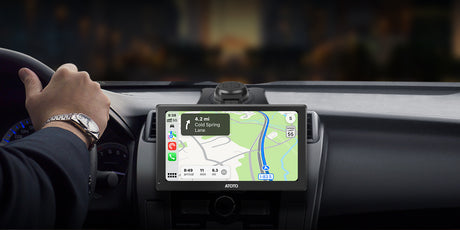
ATOTO Car Stereo, Car Audio, GPS Navigation, Wireless Carplay Adapter

送料無料・税込み

7日以内に到着します。詳細はこちら

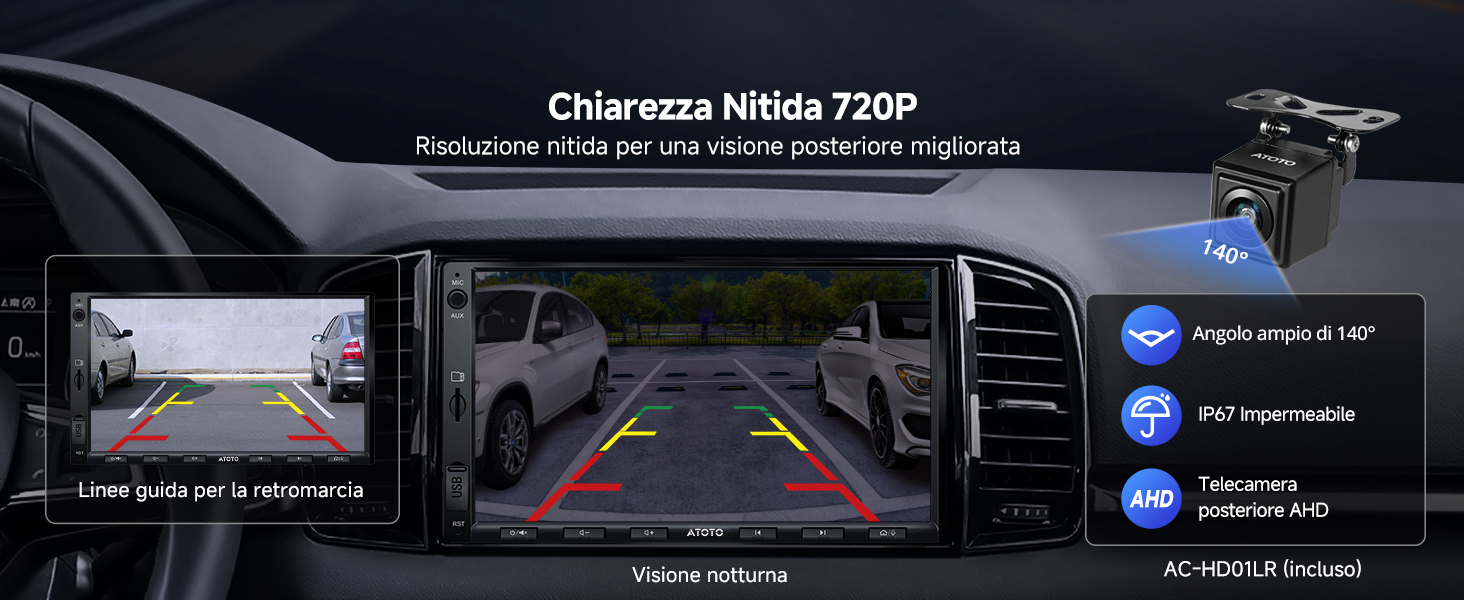
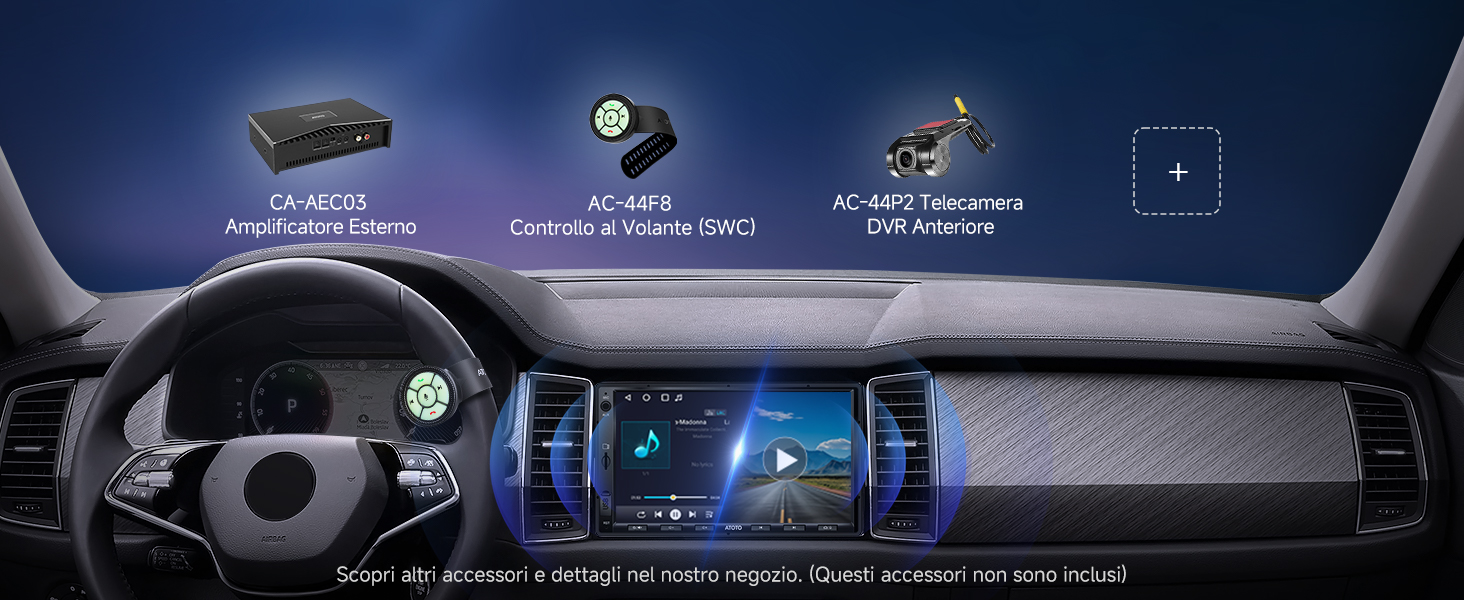
ATOTO A5LG2A7T オートラジオ 2 Din Android、7 インチ タッチスクリーン システム マルチメディア、ワイヤレス CarPlay、Android Auto、WiFi/Bluetooth/USB のテザリング、バックアップ用テレカメラ、MirrorLink、24B-EQ DSP、2G+32G、FM/RDS

€209,90 EUR
送料無料。
クーポン

この商品と一緒におすすめ

安心のお買い物サポート

  • 30日間 返品・返金保証:万が一ご満足いただけない場合も、簡単な手続きで返品・返金を承ります。
  • 国内倉庫から迅速発送:ご注文後、通常3~7営業日でお届けします。
  • 最低価格保証:他店でより安い価格がございましたらお知らせください。当店が価格を調整いたします。

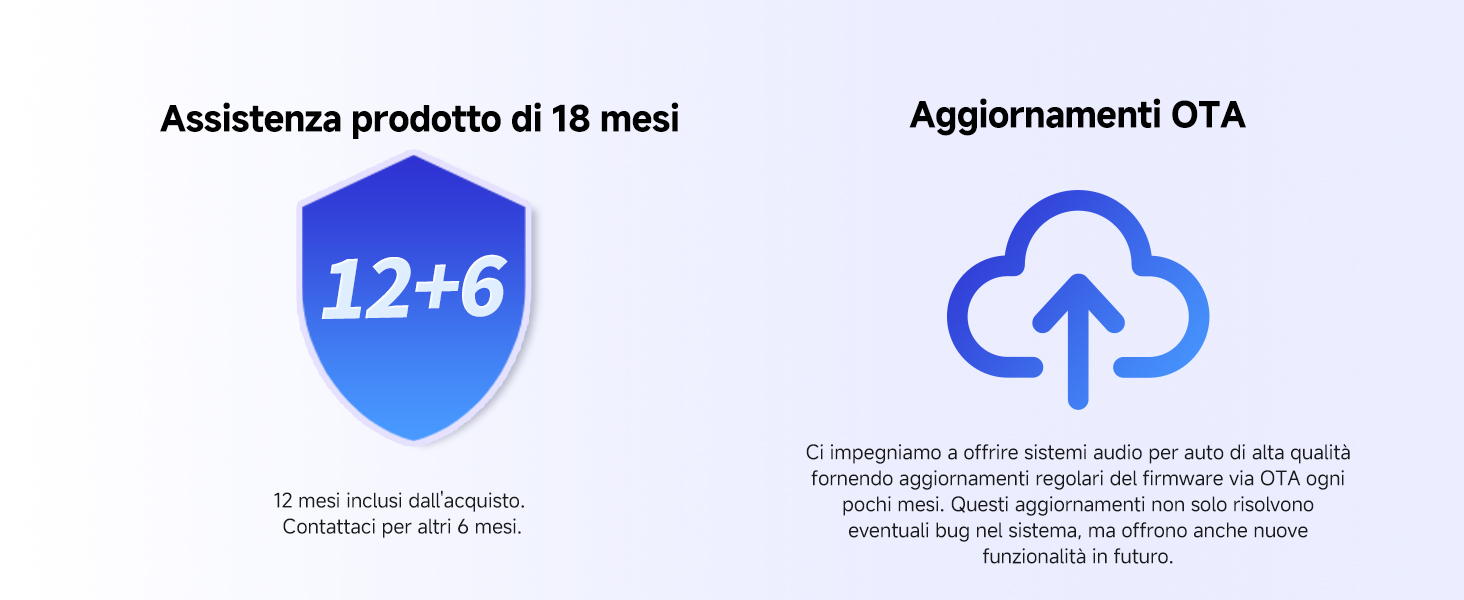
1年+180日保証

当店は、すべてのお客様に安心してお使いいただくため、全製品に充実した保証をお付けしています。

  • 基本保証: 全ての製品に、ご購入日から1年間(12か月)の基本保証が適用されます。
  • 延長保証: さらに、公式サイトで製品登録をしていただくと、保証期間が無料で180日間延長されます。(合計で最大1.5年保証)

詳しくは[保証ポリシー] をご確認ください。

保証を有効にするため、商品到着後に[保証登録]をお願いいたします。

配送と返品について

  • 送料無料:
    すべてのご注文は送料無料で発送され、通常7日以内にお届けします。
  • 30日間返品保証:
    万が一ご満足いただけない場合は、商品到着後30日以内であれば返品または交換が可能です。
  • 配送保護(推奨):
    より安心してお買い物いただくために、チェックアウト時にSeel配送保護の追加をおすすめします。補償を追加すると、配送の遅延・紛失・破損について直接申請が可能となり、より迅速な対応と強化された保護を受けられます。

なお、配送保護を追加されていない場合の補償は、配送業者の規定および適用条件に基づき対応されます。当社は物流に関するお問い合わせに常に対応いたしますが、補償内容は運送会社のポリシーに準じます。

各ポリシーの詳細は[配送ポリシー] ・ [返品ポリシー] のページをご確認ください。

特徴

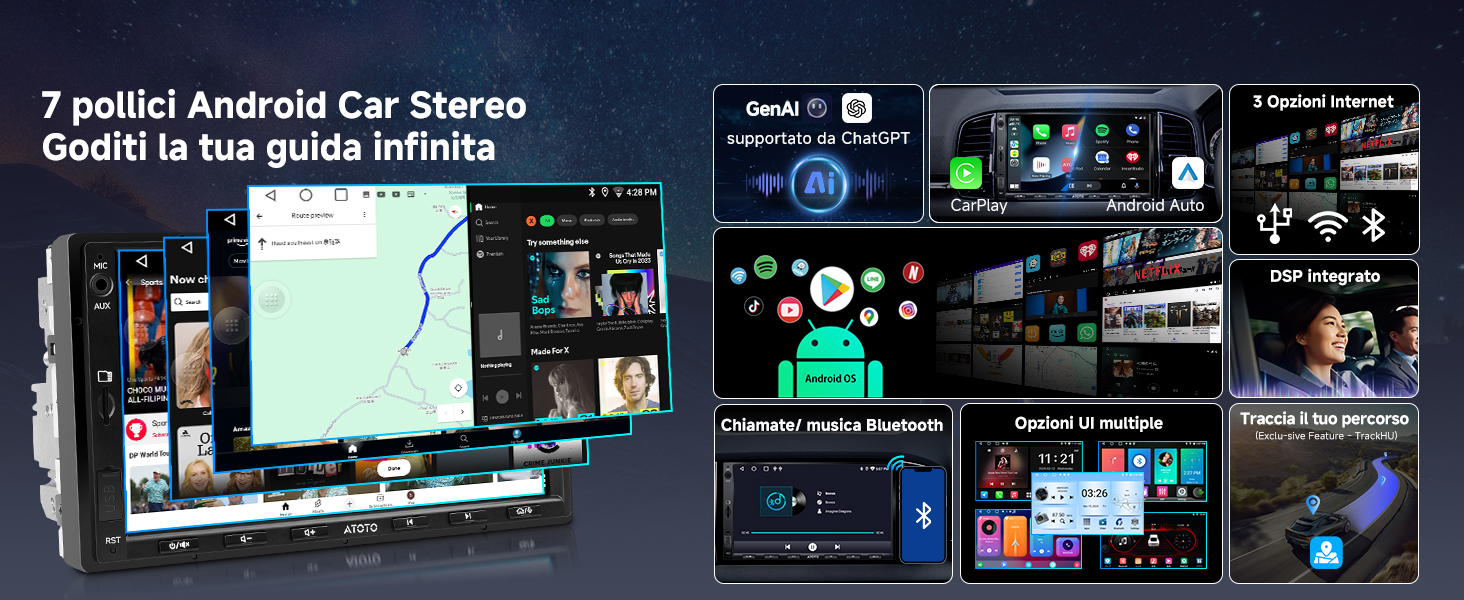
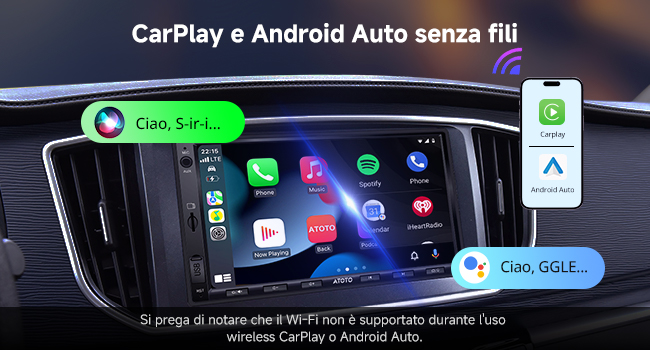
  • ATOTO A5 2 Din Androidカーラジオ、7インチタッチスクリーンマルチメディアシステム、ワイヤレスCarPlayおよびAndroid Auto、WiFi/Bluetooth/USBテザリング、バックアップカメラ、MirrorLink、24B-EQ DSP、2G+32G、FM/RDS

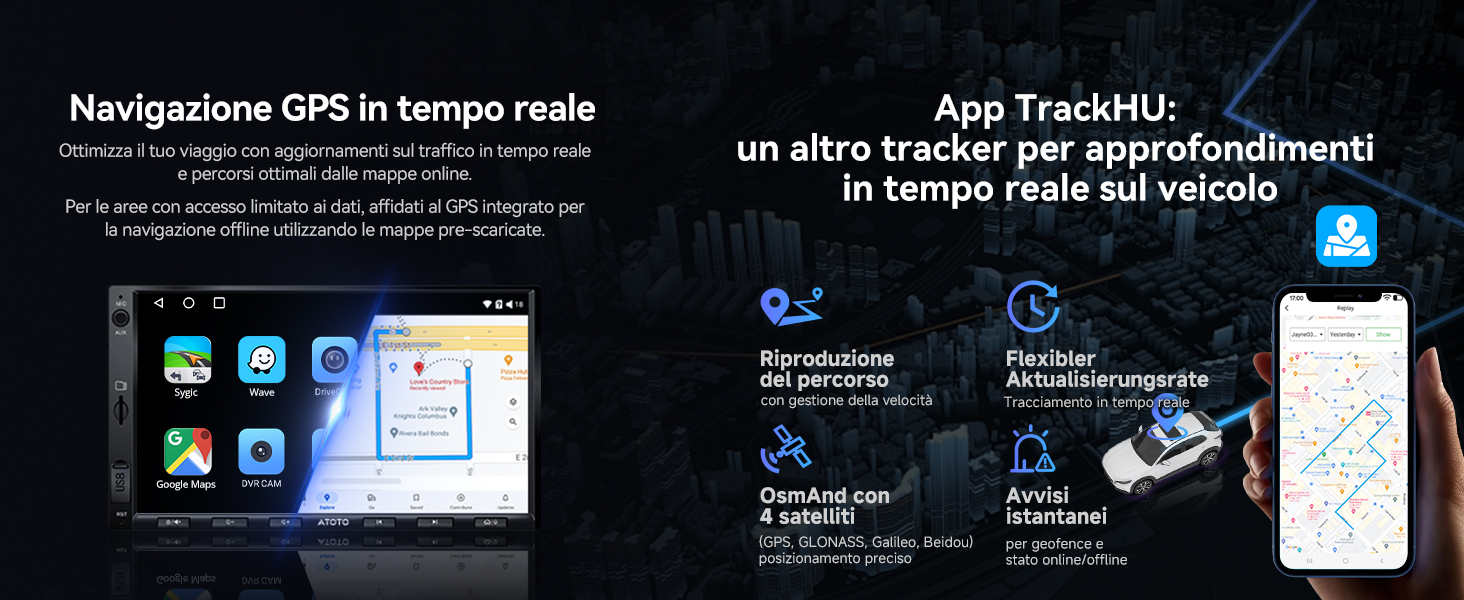
  • Android 搭載のプレステ: L'A5 Lite は Android のオペラ システムで、カスタマイズごとに 2GB の RAM と 32GB のストレージを搭載しています。 Ricevi は、新しい機能と安定性を維持しながら OTA を強化します

仕様

製品パラメーター パラメーター値

ホストテクノロジープラットフォーム名

A5-Lite
ホストテクノロジープラットフォームコード A5
バージョン構成(英語) Lite
オペレーティングシステムの種類 Android
オペレーティングシステムのバージョン Android 9.0
外部SDストレージのサポート 最大128GB
外部USBストレージのサポート 最大2TB
メインコントロールチップモデル UIS8541
ストレージ 64GB
メモリ 2GB
内蔵通信モジュール いいえ
Wi-Fiホットスポット接続 はい、2.4 & 5.0 Ghz
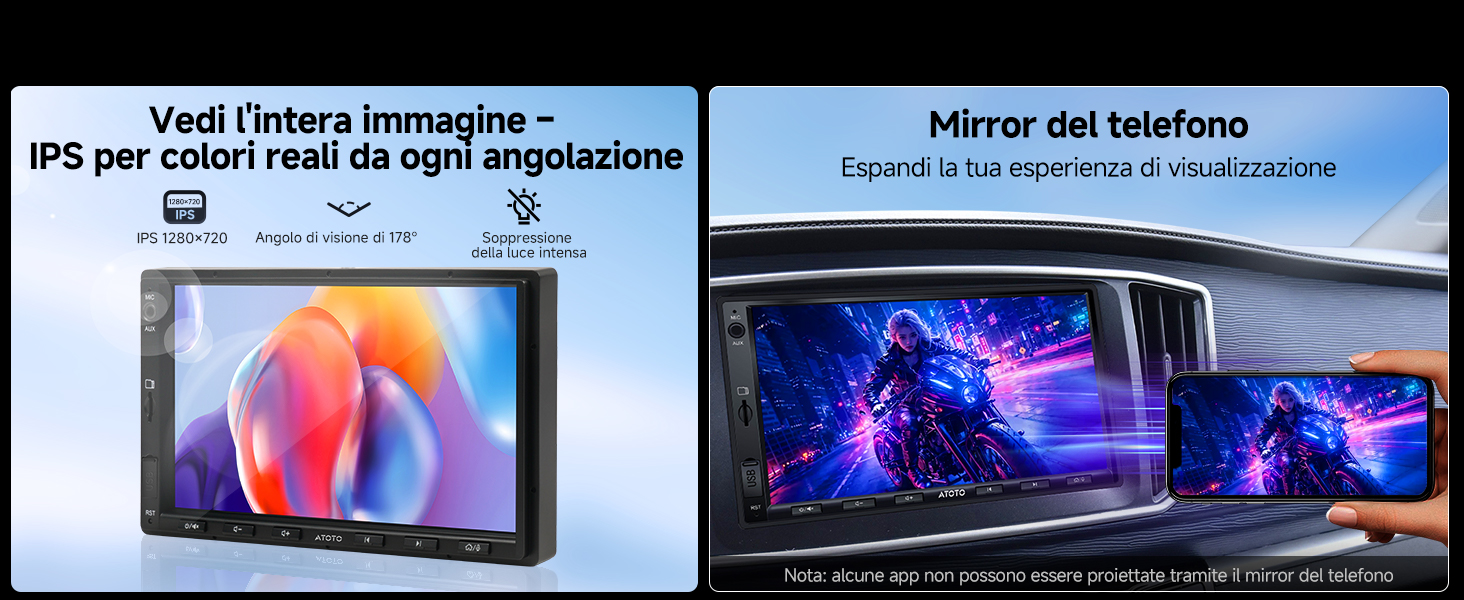
画面素材 IPS LCD
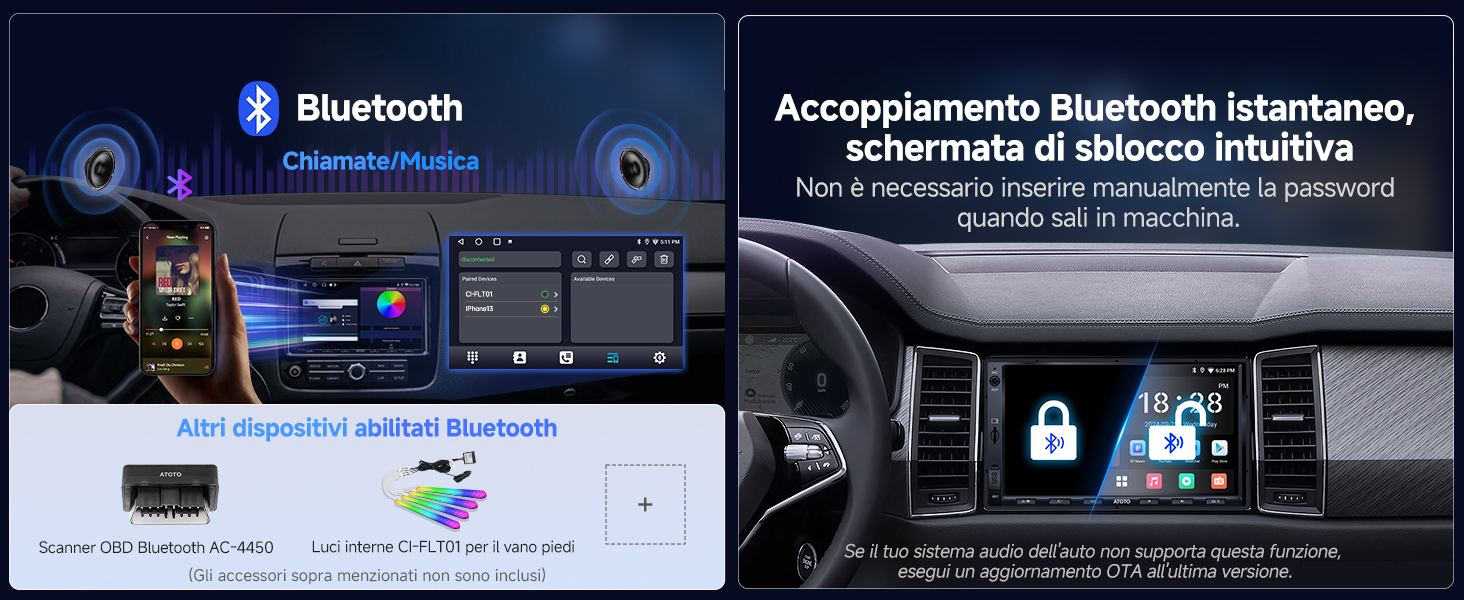
デフォルトのBluetooth BT 4.1
セカンダリBluetooth BT 4.1、サードパーティ製 Bluetooth デバイス
有線 CarPlay はい
ワイヤレス CarPlay はい
有線 Android Auto はい
ワイヤレス Android Auto はい

レビュー (74)

Customer Reviews

Based on 74 reviews
76%
(56)
4%
(3)
20%
(15)
0%
(0)
0%
(0)
M
MedicalFlyer
Great unit if you can actually fit it - No chance in an early Kia Cee'd

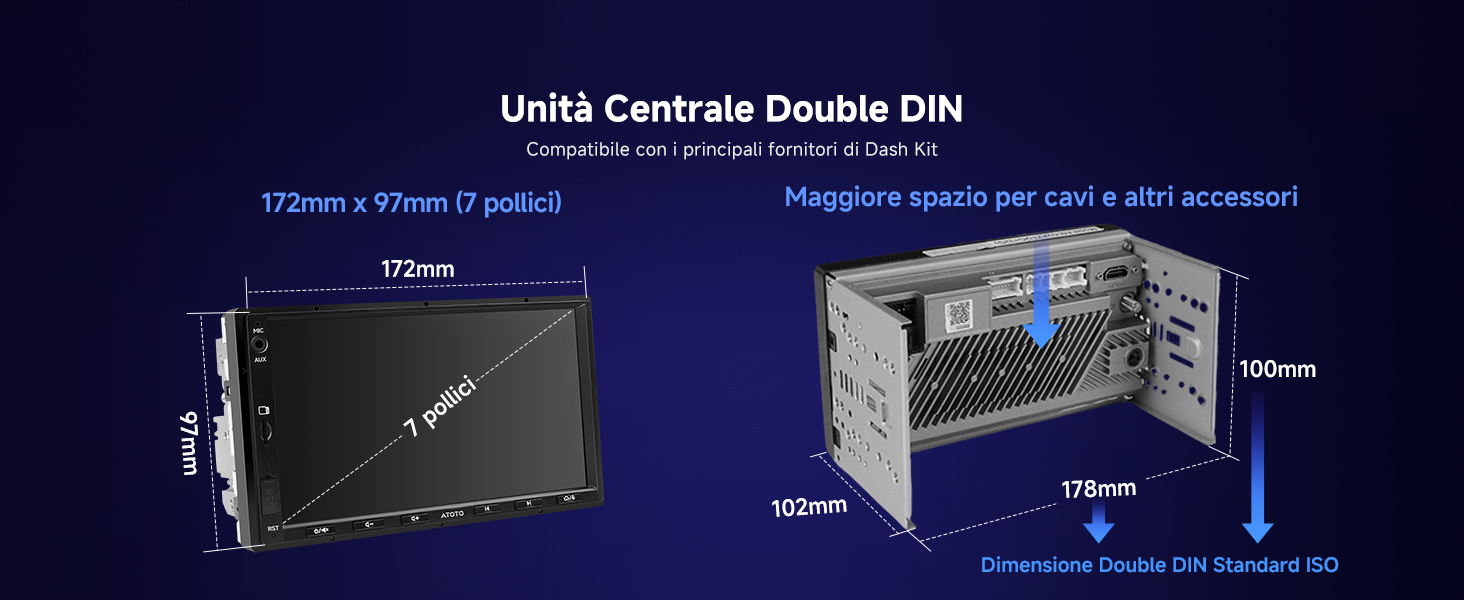
Having owned one of these for a day before returning it I thought I'd leave my thoughts here. Being torn between this and a fairly basic Double DIN unit for my 2008 Kia Cee'd I thought I would treat myself and grab this on a Lightening Deal. My plan was to install this with the DAB addon and fill an SD card with a lot of music. The built in handsfree is a must and the ability to run Google Maps or Copilot is a massive advantage over more expensive Android Auto units. I was then looking at getting a 4G hotspot setup in the car to enable the use of live traffic data and app updates. THE GOOD As usual for Amazon delivery was swift and I had the unit out the box and powered up to test on my desk in no time. I must say I was extremely impressed with the unit and the amount of bits and pieces that come with it that would cover all bases in terms of wiring it up. The unit feels and looks well built, the buttons could be a bit softer to activate but that's just personal preference. The display is very nice and I imagine it would be easily bright enough to see on a sunny day. Installing apps like Copilot, PowerAmp, BBC Sounds, and anything else you would want is a breeze. I didn't come across anything I wanted that didn't show in the Play Store. However, some apps will struggle to display properly but that's more down to them not being optimised for a forced landscape display. Phone connectivity is excellent with near instant pairing as it powers up, quick and easy access to dialling, contacts, music and if you used them things like Google Assistant and Siri. Android Auto is restricted to what works with it so being able to have Copilot on the larger screen is an excellent feature. GPS accuracy is excellent, a little slow on the first start but once it has a signal it's as good as any mobile phone or sat nav device. THE BAD The default apps are a bit rudimentary. The default music app for example doesn't display album art from local files and can a bit awkward to navigate large collections. The actual size of the unit would be the biggest drawback for a lot of installs I think. It's impossible to get this to sit neatly in my vehicle without either poking out of the dash with large gaps either side or being set so far back that it would be harder to operate when driving and leaves a massive space between. I tried a few different ways of fitting. The Connects2 cage kit I purchased barely fits over the Atoto unit, even then it took some minor persuading. Once installed it would've sat nicely within the dash cut out. The top corners poked a bit further out than I would've liked but it would've been in a good position. This would've meant the fascia adapter didn't fit and left large gaps either side. Round two involved trying to attach the original stereo's brackets to the Atoto. The lower one lined up with a set of holes well enough to get some screws in. It would've needed some longer screws and washers to fill the gap between the bracket and Atoto unit. The top bracket didn't line up with any screw holes but would've done fine holding the unit in place. I imagine I'd have found a way to secure it firmly if I'd continued with this method. This held the unit just behind the fascia adapter, some modifying would've been required for a better bit. This still left a large gap between the stereo and surrounding trim and resulted in the unit being about an inch deep inside the dash which wouldn't of been great to use. After some more fiddling and pondering over if I really wanted to go as far as cutting and modifying trim and the fascia adapter I decided to give up as these bits are not exactly cheap if things go wrong. The height of the bezel just fits the original trim cut out and does not fit within the size of the fascia adapter. This seems to be due to the OEM unit being only just taller than a standard double DIN unit whereas if you check the Atoto measurements only the frontmost part of the display bezel would be small enough. This, for me, meant that the rear of the fascia adapter conflicts with the outer bezel of the Atoto. Not wanting to be left with either form of large holes in the dash I removed the unit before I had wired it in so could not tell you how it actually performs in use. Overall I'd say that all the good you read about the actual performance of the unit is pretty much true. Obviously compared to the latest high end android devices it can seem a little slow but works perfectly well in use. Android 6 base OS on a MediaTek chipset means that it shouldn't have too many issues with app compatibility. It's a shame this didn't work out as I was looking forward to having it in the car and even being able to do thins like pay for fuel right from the stereo. My advice would be that if you want one of these, and they are a tempting prospect, find out if others have been able to install it in a similar vehicle. Anything with a massively oversize OEM unit or vehicles with a flay dash/console would be a lot easi...

R
Ross
Such a shame as it looks good.

There's a love/hate relationship with this head unit, when it works it's great but there's too many bugs for me to love it and would I recommend it to a friend, no. Reversing camera feed freezes thennsays no signal and had a few near misses, sometimes it likes to have the volume really low and no matter how high you put it there's no volume at all so you need to switch ignition off and on again. Had a pale blue screen 2 times now needing a reset done and customer service has been pretty poor on this issue. It can also run slow depending on whats on in the background however it should be able to run google play music and maps without running so slow. On a plus it does look slick and when working it's great but the lack of reliability means I don't recommend.

A
Alan M.
ATOTO A6 Pro product review

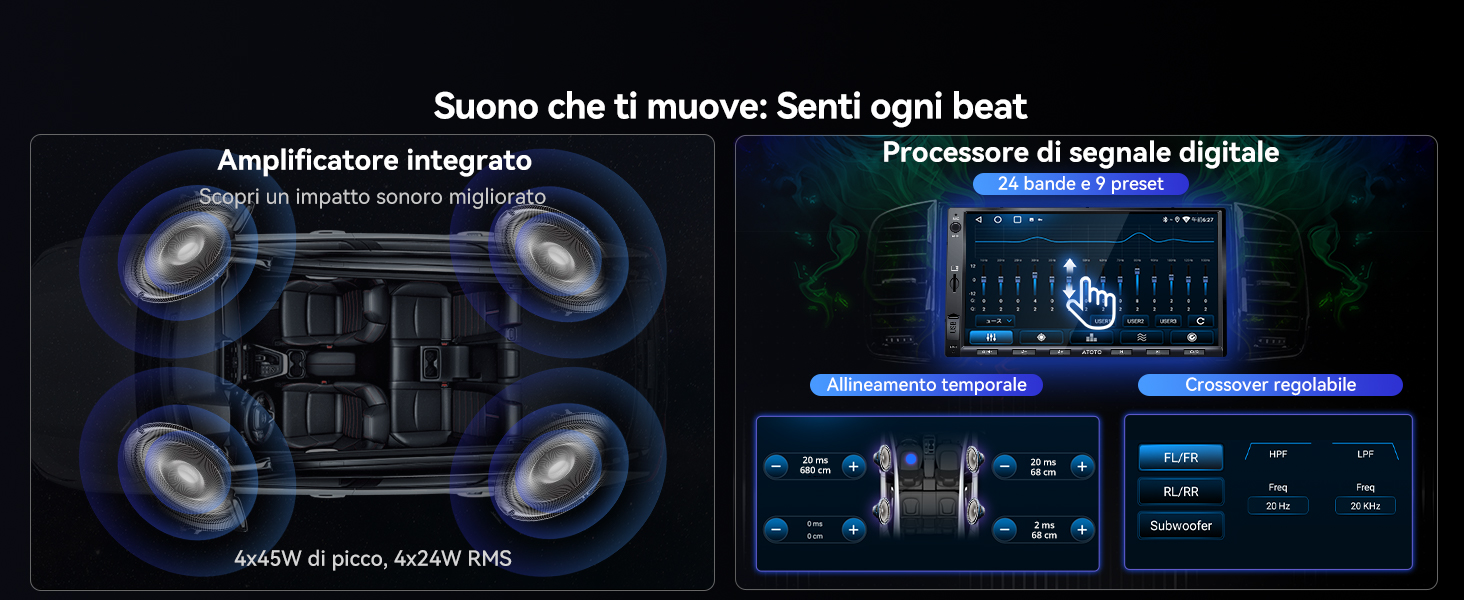
ATOTO A6 Pro review The ATOTO A6 Pro is an Android In-Car Entertainment system providing all the functionality of a traditional Sat Nav & Multimedia car radio system together with the capability of running Android apps. The model under review is the A6Y2721PRB from a range of similar units with varying features offered by ATOTO. It has the better 7” IPS screen and physical buttons in a universal double din case, which fits a standard fascia opening when installed with the appropriate vehicle specific fitting kit. I also fitted the ATOTO DAB+ USB adapter. Although the Android software is only version 6 the unit does benefit from ATOTO specific firmware of which the most recent version 9.5.1 was installed. This firmware is regularly updated by ATOTO to address bugs and enhance functionality. The specific functions I was expecting this unit to provide were a FM/DAB radio, Sat Nav with Live Traffic and a music player. Live Traffic meant that the unit also had to be able to maintain a connection to the internet when route guidance was in use. I installed the unit in a Fiat Ducato XLWB panel van which has been converted to a campervan (this vehicle is known as a Ram ProMaster in the USA) and it is in this context which I have reviewed the unit. Installation The unit came with a comprehensive collection of cables, antennas and ISO wiring harnesses to facilitate the installation of the unit. The only additional items needed were a vehicle specific ISO wiring harness, aerial connection converters and a fascia panel which can all be purchased as a complete kit. Once the original unit was removed the most challenging tasks were deciding where to position the external microphone, GPS antenna & wifi antenna and then routing their cables back to the unit. The wiring was mostly plug and play with some additional connections for the steering wheel controls and handbrake sensor. The only point to note is that a choice must be made between the two ISO harnesses supplied with the unit to suit the way the accessory and battery feeds are connected in the vehicle specific ISO harness. The wiring diagram in the supplied manual shows the wiring connections needed. Once everything is connected there is quite a collection of wires and connectors which need to be carefully arranged within the vehicle fascia before the unit is inserted. A benefit of not having a CD/DVD player is that the unit is shorter that many units and this helps with getting everything neatly into place. Commissioning The first time the unit is turned on it will take approximately 30-40 secs to boot up. If the correct choice of ISO harness has been made subsequent restarts will take less than a couple of secs unless the unit has been turned off for more than a few days when it will take 30-40 secs to reboot. Each of the individual apps that you chose to use will need to be configured. Ideally the unit should have internet access and the Google Play app signed on with a valid id while this is done so that it can check that the Android software is up to date. If a preferred app was not preloaded it will need to be downloaded from Google Play. In my case I wanted to choose the Sygic Truck Navigation app as I preferred routing guidance which respected the dimensions and weight of my vehicle. First impressions Once the unit had booted I could see that the screen was bright and clear with good viewing angles. The arrangement of the icons and widgets forming the standard launcher could be easily re-configured as required and with the maximum sized screen that it is possible to fit within 2DIN dimensions there is plenty of display space. The unit responded without lag to touch input or button pushes which themselves had a positive click action and being part of the lower bezel of the unit were easily located while the vehicle was moving. Across the bottom of the display was a bar containing icons for back, home, recents, notifications, equalizer profiles, brightness and mute together with a digital clock. So far as I could tell this bar is part of the ATOTO firmware and can not be changed. In practice I found it to be quite useful particularly in a moving vehicle when these icons could be precisely located by resting a finger on the lip of the bottom bezel. Touching a seek button on the radio widget turned it on and had it find a station. The sound produced using the default DSP settings was of of good quality and equally as good as that produced by the Kenwood unit it replaced. Radio The standard tuner is an integrated AM/FM/RDS tuner controlled by a proprietary app. The app has a simple interface that controls all the essential features. Favourite stations can be saved and named for direct access. As the app is proprietary it cannot be changed but this limitation aside it performed well receiving and maintaining reception of stations in all areas with reasonable signal strength. A DAB+ adapter is an ATOTO option which I selected. An app to control the reception of D...

A
Alan M.
ATOTO A6 Pro product review

ATOTO A6 Pro review The ATOTO A6 Pro is an Android In-Car Entertainment system providing all the functionality of a traditional Sat Nav & Multimedia car radio system together with the capability of running Android apps. The model under review is the A6Y2721PRB from a range of similar units with varying features offered by ATOTO. It has the better 7” IPS screen and physical buttons in a universal double din case, which fits a standard fascia opening when installed with the appropriate vehicle specific fitting kit. I also fitted the ATOTO DAB+ USB adapter. Although the Android software is only version 6 the unit does benefit from ATOTO specific firmware of which the most recent version 9.5.1 was installed. This firmware is regularly updated by ATOTO to address bugs and enhance functionality. The specific functions I was expecting this unit to provide were a FM/DAB radio, Sat Nav with Live Traffic and a music player. Live Traffic meant that the unit also had to be able to maintain a connection to the internet when route guidance was in use. I installed the unit in a Fiat Ducato XLWB panel van which has been converted to a campervan (this vehicle is known as a Ram ProMaster in the USA) and it is in this context which I have reviewed the unit. Installation The unit came with a comprehensive collection of cables, antennas and ISO wiring harnesses to facilitate the installation of the unit. The only additional items needed were a vehicle specific ISO wiring harness, aerial connection converters and a fascia panel which can all be purchased as a complete kit. Once the original unit was removed the most challenging tasks were deciding where to position the external microphone, GPS antenna & wifi antenna and then routing their cables back to the unit. The wiring was mostly plug and play with some additional connections for the steering wheel controls and handbrake sensor. The only point to note is that a choice must be made between the two ISO harnesses supplied with the unit to suit the way the accessory and battery feeds are connected in the vehicle specific ISO harness. The wiring diagram in the supplied manual shows the wiring connections needed. Once everything is connected there is quite a collection of wires and connectors which need to be carefully arranged within the vehicle fascia before the unit is inserted. A benefit of not having a CD/DVD player is that the unit is shorter that many units and this helps with getting everything neatly into place. Commissioning The first time the unit is turned on it will take approximately 30-40 secs to boot up. If the correct choice of ISO harness has been made subsequent restarts will take less than a couple of secs unless the unit has been turned off for more than a few days when it will take 30-40 secs to reboot. Each of the individual apps that you chose to use will need to be configured. Ideally the unit should have internet access and the Google Play app signed on with a valid id while this is done so that it can check that the Android software is up to date. If a preferred app was not preloaded it will need to be downloaded from Google Play. In my case I wanted to choose the Sygic Truck Navigation app as I preferred routing guidance which respected the dimensions and weight of my vehicle. First impressions Once the unit had booted I could see that the screen was bright and clear with good viewing angles. The arrangement of the icons and widgets forming the standard launcher could be easily re-configured as required and with the maximum sized screen that it is possible to fit within 2DIN dimensions there is plenty of display space. The unit responded without lag to touch input or button pushes which themselves had a positive click action and being part of the lower bezel of the unit were easily located while the vehicle was moving. Across the bottom of the display was a bar containing icons for back, home, recents, notifications, equalizer profiles, brightness and mute together with a digital clock. So far as I could tell this bar is part of the ATOTO firmware and can not be changed. In practice I found it to be quite useful particularly in a moving vehicle when these icons could be precisely located by resting a finger on the lip of the bottom bezel. Touching a seek button on the radio widget turned it on and had it find a station. The sound produced using the default DSP settings was of of good quality and equally as good as that produced by the Kenwood unit it replaced. Radio The standard tuner is an integrated AM/FM/RDS tuner controlled by a proprietary app. The app has a simple interface that controls all the essential features. Favourite stations can be saved and named for direct access. As the app is proprietary it cannot be changed but this limitation aside it performed well receiving and maintaining reception of stations in all areas with reasonable signal strength. A DAB+ adapter is an ATOTO option which I selected. An app to control the reception of D...

A
Alan M.
ATOTO A6 Pro product review

ATOTO A6 Pro review The ATOTO A6 Pro is an Android In-Car Entertainment system providing all the functionality of a traditional Sat Nav & Multimedia car radio system together with the capability of running Android apps. The model under review is the A6Y2721PRB from a range of similar units with varying features offered by ATOTO. It has the better 7” IPS screen and physical buttons in a universal double din case, which fits a standard fascia opening when installed with the appropriate vehicle specific fitting kit. I also fitted the ATOTO DAB+ USB adapter. Although the Android software is only version 6 the unit does benefit from ATOTO specific firmware of which the most recent version 9.5.1 was installed. This firmware is regularly updated by ATOTO to address bugs and enhance functionality. The specific functions I was expecting this unit to provide were a FM/DAB radio, Sat Nav with Live Traffic and a music player. Live Traffic meant that the unit also had to be able to maintain a connection to the internet when route guidance was in use. I installed the unit in a Fiat Ducato XLWB panel van which has been converted to a campervan (this vehicle is known as a Ram ProMaster in the USA) and it is in this context which I have reviewed the unit. Installation The unit came with a comprehensive collection of cables, antennas and ISO wiring harnesses to facilitate the installation of the unit. The only additional items needed were a vehicle specific ISO wiring harness, aerial connection converters and a fascia panel which can all be purchased as a complete kit. Once the original unit was removed the most challenging tasks were deciding where to position the external microphone, GPS antenna & wifi antenna and then routing their cables back to the unit. The wiring was mostly plug and play with some additional connections for the steering wheel controls and handbrake sensor. The only point to note is that a choice must be made between the two ISO harnesses supplied with the unit to suit the way the accessory and battery feeds are connected in the vehicle specific ISO harness. The wiring diagram in the supplied manual shows the wiring connections needed. Once everything is connected there is quite a collection of wires and connectors which need to be carefully arranged within the vehicle fascia before the unit is inserted. A benefit of not having a CD/DVD player is that the unit is shorter that many units and this helps with getting everything neatly into place. Commissioning The first time the unit is turned on it will take approximately 30-40 secs to boot up. If the correct choice of ISO harness has been made subsequent restarts will take less than a couple of secs unless the unit has been turned off for more than a few days when it will take 30-40 secs to reboot. Each of the individual apps that you chose to use will need to be configured. Ideally the unit should have internet access and the Google Play app signed on with a valid id while this is done so that it can check that the Android software is up to date. If a preferred app was not preloaded it will need to be downloaded from Google Play. In my case I wanted to choose the Sygic Truck Navigation app as I preferred routing guidance which respected the dimensions and weight of my vehicle. First impressions Once the unit had booted I could see that the screen was bright and clear with good viewing angles. The arrangement of the icons and widgets forming the standard launcher could be easily re-configured as required and with the maximum sized screen that it is possible to fit within 2DIN dimensions there is plenty of display space. The unit responded without lag to touch input or button pushes which themselves had a positive click action and being part of the lower bezel of the unit were easily located while the vehicle was moving. Across the bottom of the display was a bar containing icons for back, home, recents, notifications, equalizer profiles, brightness and mute together with a digital clock. So far as I could tell this bar is part of the ATOTO firmware and can not be changed. In practice I found it to be quite useful particularly in a moving vehicle when these icons could be precisely located by resting a finger on the lip of the bottom bezel. Touching a seek button on the radio widget turned it on and had it find a station. The sound produced using the default DSP settings was of of good quality and equally as good as that produced by the Kenwood unit it replaced. Radio The standard tuner is an integrated AM/FM/RDS tuner controlled by a proprietary app. The app has a simple interface that controls all the essential features. Favourite stations can be saved and named for direct access. As the app is proprietary it cannot be changed but this limitation aside it performed well receiving and maintaining reception of stations in all areas with reasonable signal strength. A DAB+ adapter is an ATOTO option which I selected. An app to control the reception of D...

支払いとセキュリティ

お支払い方法

  • American Express
  • Apple Pay
  • Bancontact
  • Google Pay
  • iDEAL Wero
  • Mastercard
  • PayPal
  • Shop Pay
  • Union Pay
  • Visa
  • Klarna
  • Afterpay

お支払い情報は安全に処理されます。当社はクレジットカードの詳細を保存したり、お客様のクレジットカード情報にアクセスしたりすることはありません。
2-1
3-1
3-2