ATOTO Car Stereo, Car Audio, GPS Navigation, Wireless Carplay Adapter

Kostenloser Versand · Lieferung innerhalb von 7 Tagen

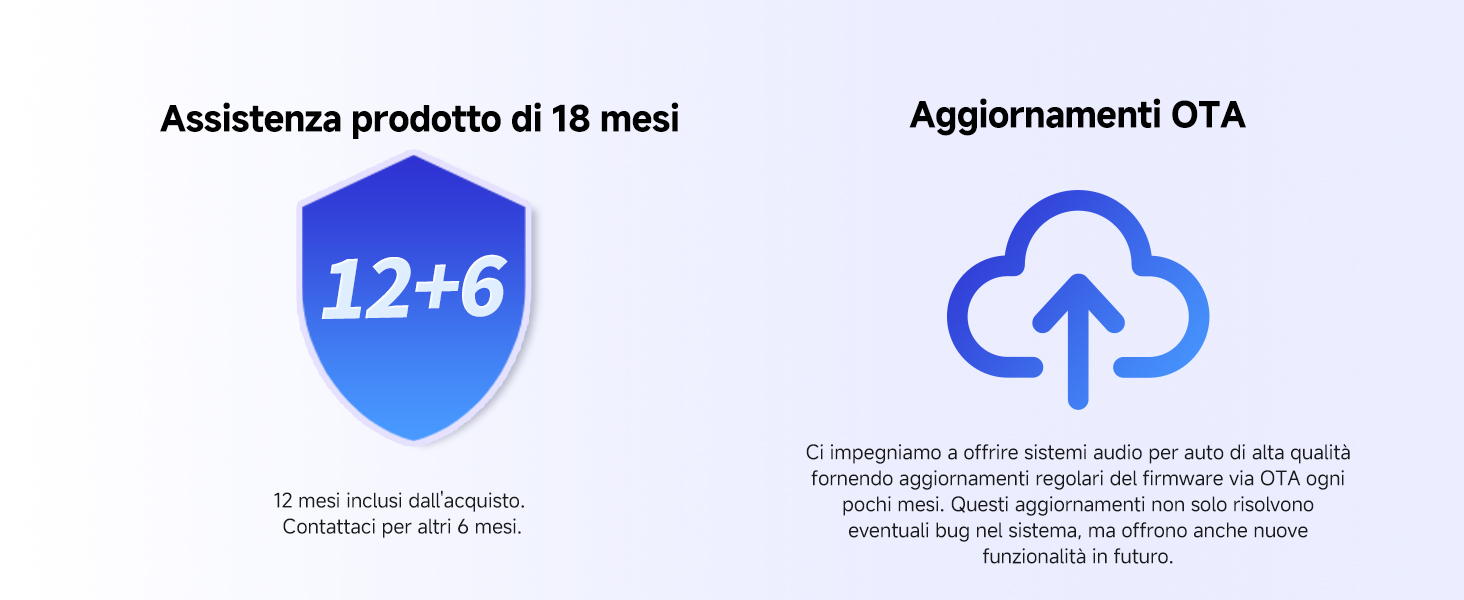
18 Monate Garantie

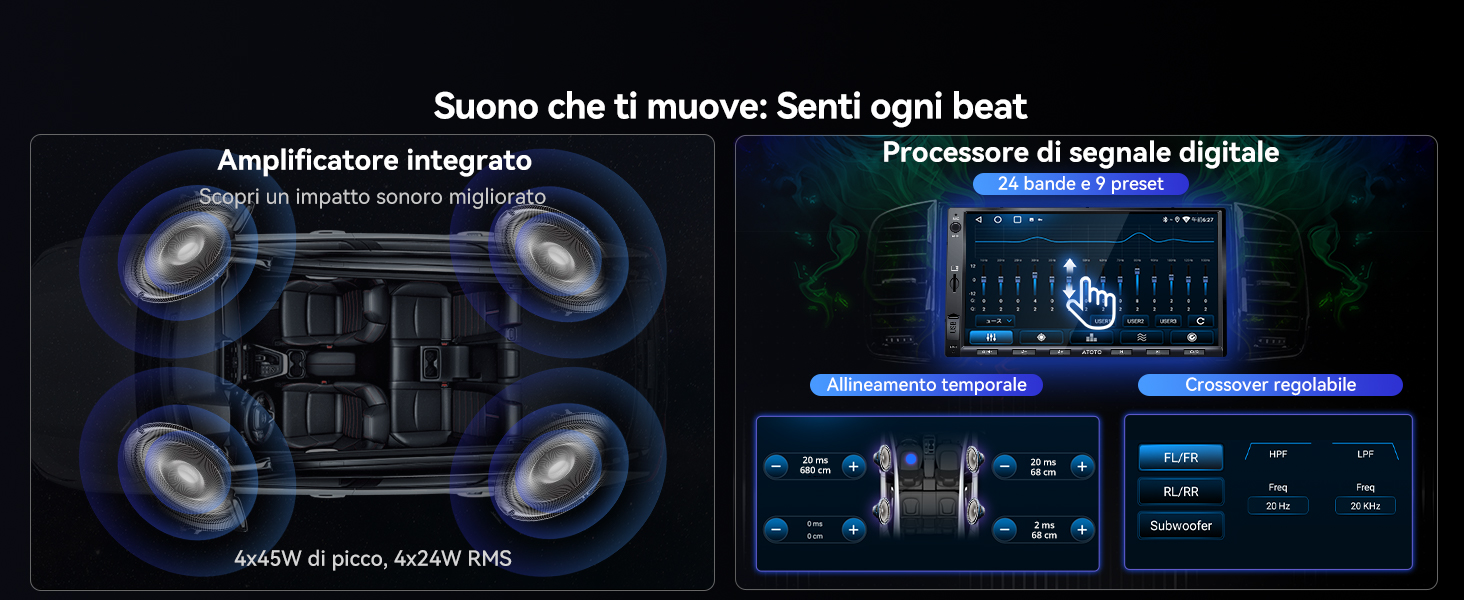
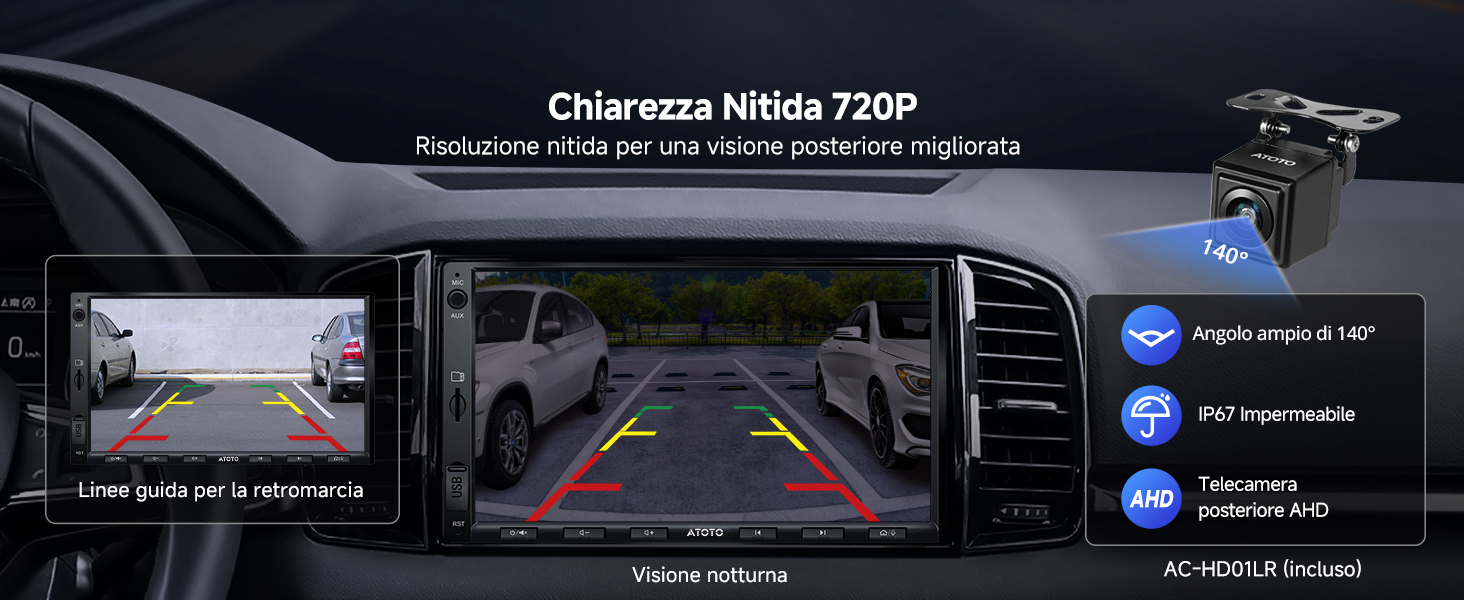
ATOTO A5LG2A7T 2-Din-Android-Autoradio, 7-Zoll-Touchscreen-Multimediasystem, kabelloses CarPlay und Android Auto, WiFi/Bluetooth/USB-Tethering, Backup-Kamera, MirrorLink, 24B-EQ DSP, 2G+32G, FM/RDS

€188,90 EUR €226,90
Kostenloser Versand.
Gutschein

Passt gut zu

30-Tage-Preisgarantie

  • 30 Tage unkomplizierte Rücksendungen
  • Versand aus dem deutschen Lager (Lieferung in 3-7 Tagen)
  • Haben Sie einen günstigeren Preis gefunden? Kontaktieren Sie uns, und wir passen den Preis an!

1 Jahr + 180 Tage Garantie

Damit Sie Ihre Produkte sorgenfrei verwenden können, bieten wir auf alle unsere Produkte eine umfassende Garantie .

Garantiezeitraum : Dieses Produkt wird mit einer 12-monatigen Standardgarantie geliefert.

Erweiterte Garantie : Beim Kauf auf unserer offiziellen Website können Sie sich direkt für eine verlängerte Garantie registrieren und erhalten zusätzliche 180 Tage Abdeckung.

Weitere Einzelheiten finden Sie in unseren [ Garantiebestimmungen ].

Denken Sie nach dem Kauf daran, [ Ihr Produkt zu registrieren ], um Ihren Garantieschutz zu aktivieren.

Lieferung und Rückgabe

  • Kostenloser Versand:
    Alle Bestellungen werden kostenlos versendet und treffen in der Regel innerhalb von 7 Tagen ein.
  • 30 Tage Rückgaberecht:
    Wenn Sie nicht vollständig zufrieden sind, können Sie Ihr Produkt innerhalb von 30 Tagen zurückgeben oder umtauschen.
  • Versandschutz (empfohlen):
    Für zusätzliche Sicherheit empfehlen wir, beim Checkout den Seel-Versandschutz hinzuzufügen. Mit aktiviertem Schutz können Sie Ansprüche bei Versandverzögerungen, Verlust oder Beschädigung direkt einreichen — für eine schnellere Bearbeitung und erweiterten Schutz.


Obwohl wir Ihnen bei logistikbezogenen Anliegen gerne helfen, unterliegt eine Entschädigung ohne zusätzlichen Schutz den Richtlinien und Anspruchsvoraussetzungen des Versanddienstleisters.

Ausführliche Informationen finden Sie in unseren [ Versandbedingungen ] und [ Rückgabebedingungen ].

Merkmale

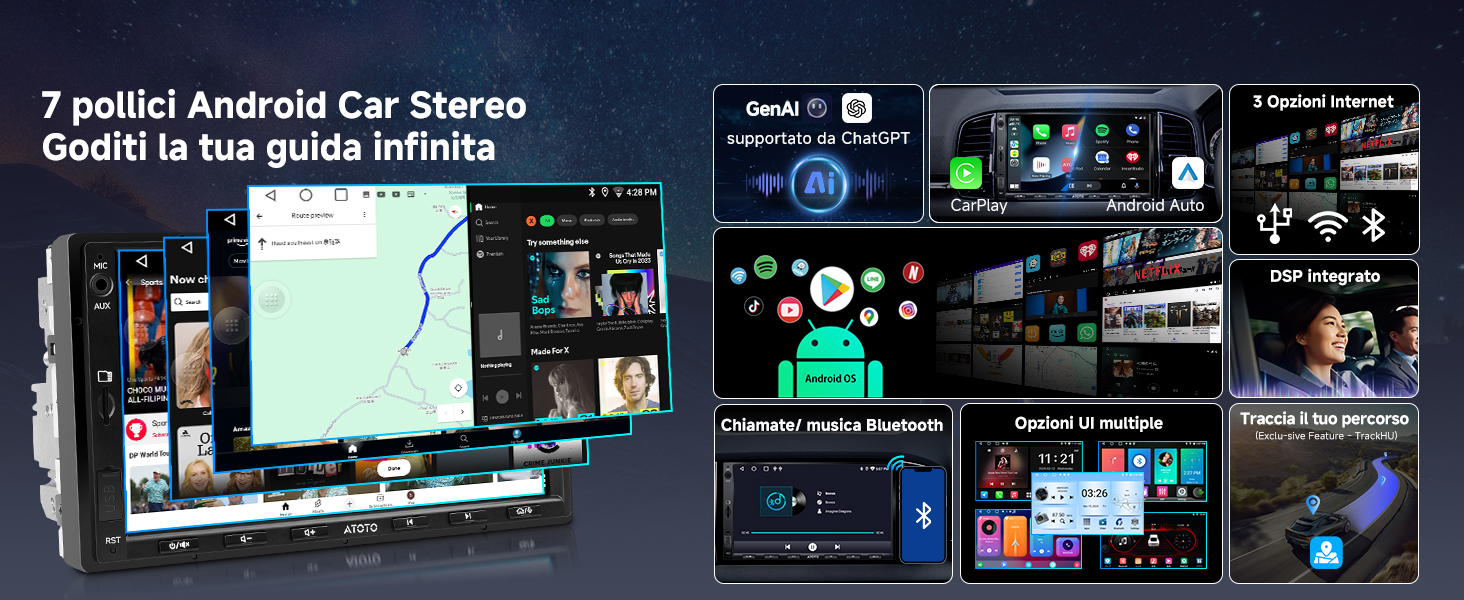
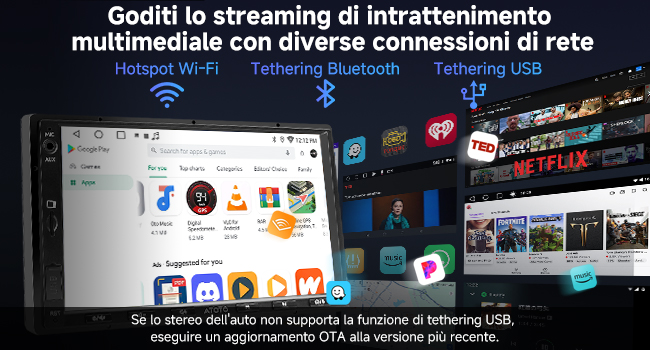
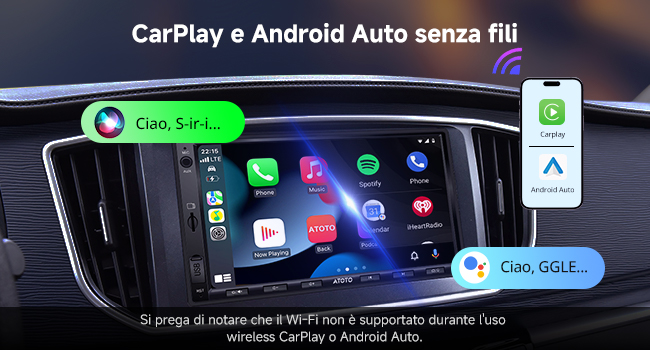
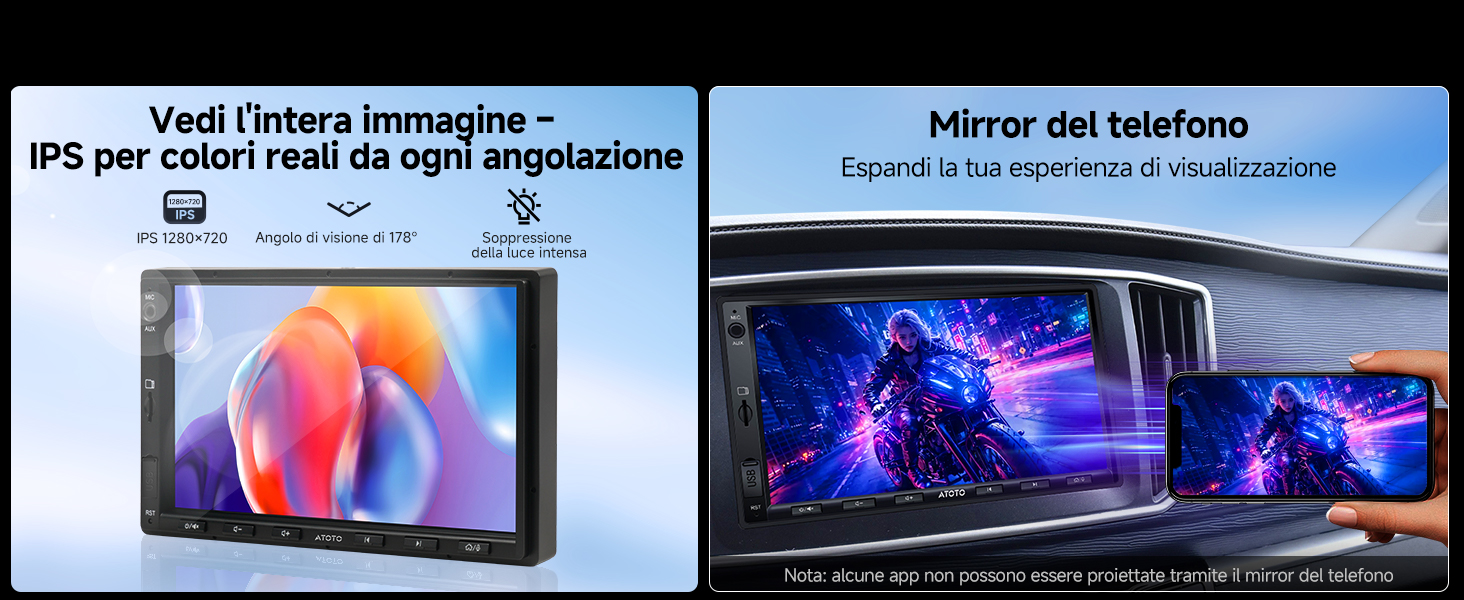
  • ATOTO A5 Autoradio 2 Din Android, 7" Touchscreen Multimediasystem, Wireless CarPlay und Android Auto, WiFi/Bluetooth/USB-Tethering, Rückfahrkamera, MirrorLink, 24B-EQ DSP, 2G+32G, FM/RDS

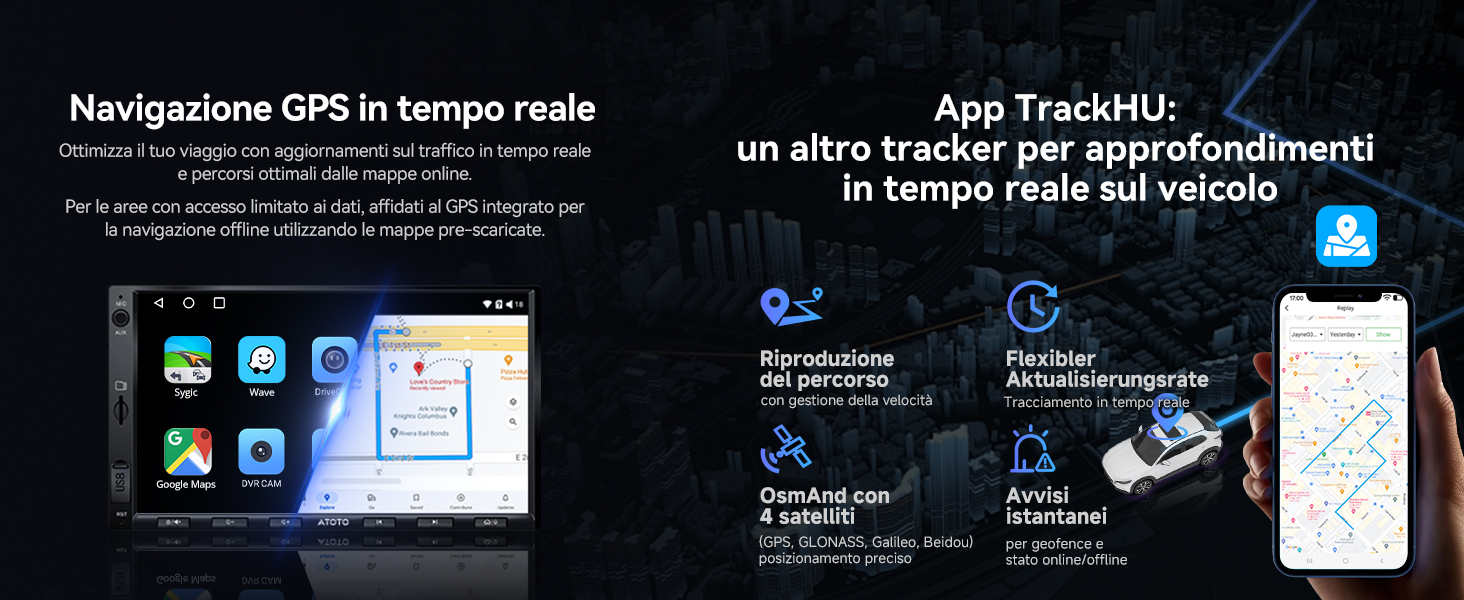
  • Android-basierte Presets: Das A5 Lite läuft auf Ihrem Android-Betriebssystem und bietet 2 GB RAM und 32 GB Speicher zur Personalisierung. Ricevi aggiornamenti OTA für neue Funktionalität und Stabilität migliorata

Spezifikationen

Produktparameter Parameterwert

Name der Host-Technologieplattform

A5-Lite
Code der Host-Technologieplattform A5
Versionskonfiguration in Englisch Lite
Betriebssystemtyp Android
Betriebssystemversion Android 9.0
Unterstützung für externen SD-Speicher Max. 128 GB
Unterstützung für externen USB-Speicher Max. 2 TB
Modell des Hauptsteuerchips UIS8541
Speicher 64 GB
Arbeitsspeicher 2 GB
Eingebautes Kommunikationsmodul NEIN
WIFI-Hotspot-Verbindung JA, 2,4 und 5,0 GHz
Bildschirmmaterial IPS LCD
Standard-Bluetooth BT 4.1
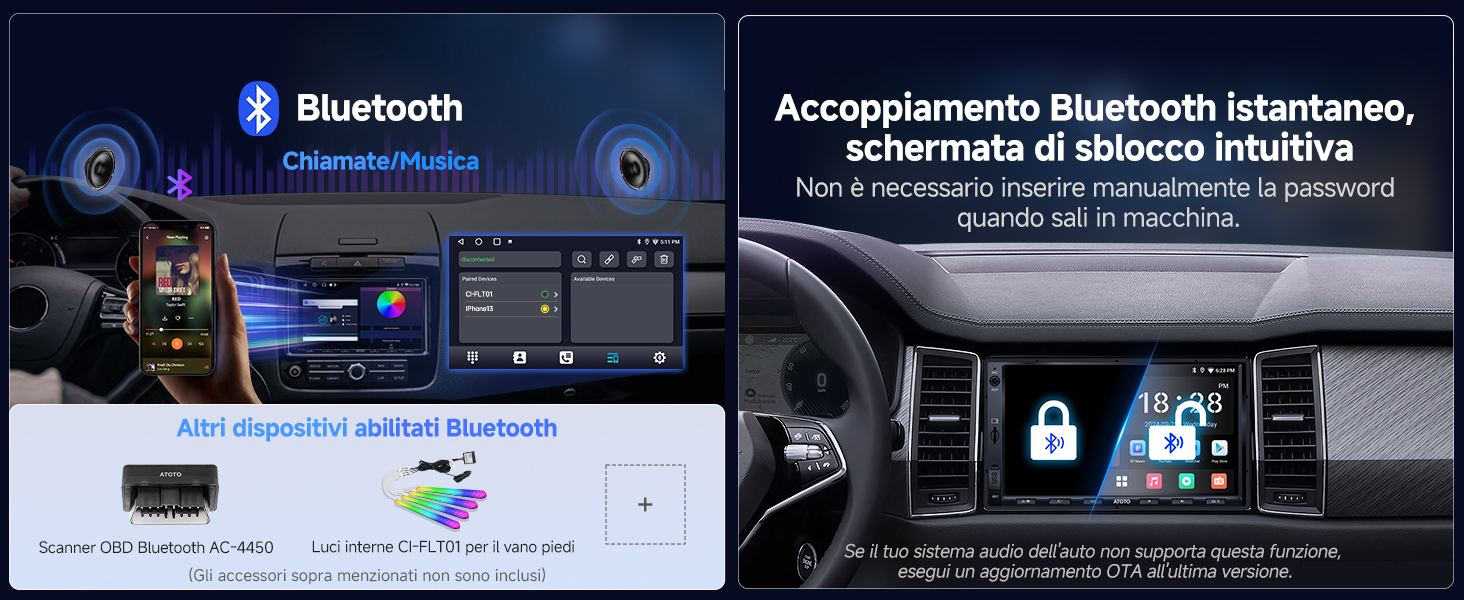
Sekundäres Bluetooth BT 4.1, Bluetooth-Geräte von Drittanbietern
Kabelgebundenes CarPlay JA
Kabelloses CarPlay JA
Kabelgebundenes Android Auto JA
Kabelloses Android Auto JA

Bewertungen (89)

Customer Reviews

Based on 89 reviews
82%
(73)
3%
(3)
15%
(13)
0%
(0)
0%
(0)
A
Alan M.
ATOTO A6 Pro product review

ATOTO A6 Pro review The ATOTO A6 Pro is an Android In-Car Entertainment system providing all the functionality of a traditional Sat Nav & Multimedia car radio system together with the capability of running Android apps. The model under review is the A6Y2721PRB from a range of similar units with varying features offered by ATOTO. It has the better 7” IPS screen and physical buttons in a universal double din case, which fits a standard fascia opening when installed with the appropriate vehicle specific fitting kit. I also fitted the ATOTO DAB+ USB adapter. Although the Android software is only version 6 the unit does benefit from ATOTO specific firmware of which the most recent version 9.5.1 was installed. This firmware is regularly updated by ATOTO to address bugs and enhance functionality. The specific functions I was expecting this unit to provide were a FM/DAB radio, Sat Nav with Live Traffic and a music player. Live Traffic meant that the unit also had to be able to maintain a connection to the internet when route guidance was in use. I installed the unit in a Fiat Ducato XLWB panel van which has been converted to a campervan (this vehicle is known as a Ram ProMaster in the USA) and it is in this context which I have reviewed the unit. Installation The unit came with a comprehensive collection of cables, antennas and ISO wiring harnesses to facilitate the installation of the unit. The only additional items needed were a vehicle specific ISO wiring harness, aerial connection converters and a fascia panel which can all be purchased as a complete kit. Once the original unit was removed the most challenging tasks were deciding where to position the external microphone, GPS antenna & wifi antenna and then routing their cables back to the unit. The wiring was mostly plug and play with some additional connections for the steering wheel controls and handbrake sensor. The only point to note is that a choice must be made between the two ISO harnesses supplied with the unit to suit the way the accessory and battery feeds are connected in the vehicle specific ISO harness. The wiring diagram in the supplied manual shows the wiring connections needed. Once everything is connected there is quite a collection of wires and connectors which need to be carefully arranged within the vehicle fascia before the unit is inserted. A benefit of not having a CD/DVD player is that the unit is shorter that many units and this helps with getting everything neatly into place. Commissioning The first time the unit is turned on it will take approximately 30-40 secs to boot up. If the correct choice of ISO harness has been made subsequent restarts will take less than a couple of secs unless the unit has been turned off for more than a few days when it will take 30-40 secs to reboot. Each of the individual apps that you chose to use will need to be configured. Ideally the unit should have internet access and the Google Play app signed on with a valid id while this is done so that it can check that the Android software is up to date. If a preferred app was not preloaded it will need to be downloaded from Google Play. In my case I wanted to choose the Sygic Truck Navigation app as I preferred routing guidance which respected the dimensions and weight of my vehicle. First impressions Once the unit had booted I could see that the screen was bright and clear with good viewing angles. The arrangement of the icons and widgets forming the standard launcher could be easily re-configured as required and with the maximum sized screen that it is possible to fit within 2DIN dimensions there is plenty of display space. The unit responded without lag to touch input or button pushes which themselves had a positive click action and being part of the lower bezel of the unit were easily located while the vehicle was moving. Across the bottom of the display was a bar containing icons for back, home, recents, notifications, equalizer profiles, brightness and mute together with a digital clock. So far as I could tell this bar is part of the ATOTO firmware and can not be changed. In practice I found it to be quite useful particularly in a moving vehicle when these icons could be precisely located by resting a finger on the lip of the bottom bezel. Touching a seek button on the radio widget turned it on and had it find a station. The sound produced using the default DSP settings was of of good quality and equally as good as that produced by the Kenwood unit it replaced. Radio The standard tuner is an integrated AM/FM/RDS tuner controlled by a proprietary app. The app has a simple interface that controls all the essential features. Favourite stations can be saved and named for direct access. As the app is proprietary it cannot be changed but this limitation aside it performed well receiving and maintaining reception of stations in all areas with reasonable signal strength. A DAB+ adapter is an ATOTO option which I selected. An app to control the reception of D...

A
Alan M.
ATOTO A6 Pro product review

ATOTO A6 Pro review The ATOTO A6 Pro is an Android In-Car Entertainment system providing all the functionality of a traditional Sat Nav & Multimedia car radio system together with the capability of running Android apps. The model under review is the A6Y2721PRB from a range of similar units with varying features offered by ATOTO. It has the better 7” IPS screen and physical buttons in a universal double din case, which fits a standard fascia opening when installed with the appropriate vehicle specific fitting kit. I also fitted the ATOTO DAB+ USB adapter. Although the Android software is only version 6 the unit does benefit from ATOTO specific firmware of which the most recent version 9.5.1 was installed. This firmware is regularly updated by ATOTO to address bugs and enhance functionality. The specific functions I was expecting this unit to provide were a FM/DAB radio, Sat Nav with Live Traffic and a music player. Live Traffic meant that the unit also had to be able to maintain a connection to the internet when route guidance was in use. I installed the unit in a Fiat Ducato XLWB panel van which has been converted to a campervan (this vehicle is known as a Ram ProMaster in the USA) and it is in this context which I have reviewed the unit. Installation The unit came with a comprehensive collection of cables, antennas and ISO wiring harnesses to facilitate the installation of the unit. The only additional items needed were a vehicle specific ISO wiring harness, aerial connection converters and a fascia panel which can all be purchased as a complete kit. Once the original unit was removed the most challenging tasks were deciding where to position the external microphone, GPS antenna & wifi antenna and then routing their cables back to the unit. The wiring was mostly plug and play with some additional connections for the steering wheel controls and handbrake sensor. The only point to note is that a choice must be made between the two ISO harnesses supplied with the unit to suit the way the accessory and battery feeds are connected in the vehicle specific ISO harness. The wiring diagram in the supplied manual shows the wiring connections needed. Once everything is connected there is quite a collection of wires and connectors which need to be carefully arranged within the vehicle fascia before the unit is inserted. A benefit of not having a CD/DVD player is that the unit is shorter that many units and this helps with getting everything neatly into place. Commissioning The first time the unit is turned on it will take approximately 30-40 secs to boot up. If the correct choice of ISO harness has been made subsequent restarts will take less than a couple of secs unless the unit has been turned off for more than a few days when it will take 30-40 secs to reboot. Each of the individual apps that you chose to use will need to be configured. Ideally the unit should have internet access and the Google Play app signed on with a valid id while this is done so that it can check that the Android software is up to date. If a preferred app was not preloaded it will need to be downloaded from Google Play. In my case I wanted to choose the Sygic Truck Navigation app as I preferred routing guidance which respected the dimensions and weight of my vehicle. First impressions Once the unit had booted I could see that the screen was bright and clear with good viewing angles. The arrangement of the icons and widgets forming the standard launcher could be easily re-configured as required and with the maximum sized screen that it is possible to fit within 2DIN dimensions there is plenty of display space. The unit responded without lag to touch input or button pushes which themselves had a positive click action and being part of the lower bezel of the unit were easily located while the vehicle was moving. Across the bottom of the display was a bar containing icons for back, home, recents, notifications, equalizer profiles, brightness and mute together with a digital clock. So far as I could tell this bar is part of the ATOTO firmware and can not be changed. In practice I found it to be quite useful particularly in a moving vehicle when these icons could be precisely located by resting a finger on the lip of the bottom bezel. Touching a seek button on the radio widget turned it on and had it find a station. The sound produced using the default DSP settings was of of good quality and equally as good as that produced by the Kenwood unit it replaced. Radio The standard tuner is an integrated AM/FM/RDS tuner controlled by a proprietary app. The app has a simple interface that controls all the essential features. Favourite stations can be saved and named for direct access. As the app is proprietary it cannot be changed but this limitation aside it performed well receiving and maintaining reception of stations in all areas with reasonable signal strength. A DAB+ adapter is an ATOTO option which I selected. An app to control the reception of D...

A
Alan M.
ATOTO A6 Pro product review

ATOTO A6 Pro review The ATOTO A6 Pro is an Android In-Car Entertainment system providing all the functionality of a traditional Sat Nav & Multimedia car radio system together with the capability of running Android apps. The model under review is the A6Y2721PRB from a range of similar units with varying features offered by ATOTO. It has the better 7” IPS screen and physical buttons in a universal double din case, which fits a standard fascia opening when installed with the appropriate vehicle specific fitting kit. I also fitted the ATOTO DAB+ USB adapter. Although the Android software is only version 6 the unit does benefit from ATOTO specific firmware of which the most recent version 9.5.1 was installed. This firmware is regularly updated by ATOTO to address bugs and enhance functionality. The specific functions I was expecting this unit to provide were a FM/DAB radio, Sat Nav with Live Traffic and a music player. Live Traffic meant that the unit also had to be able to maintain a connection to the internet when route guidance was in use. I installed the unit in a Fiat Ducato XLWB panel van which has been converted to a campervan (this vehicle is known as a Ram ProMaster in the USA) and it is in this context which I have reviewed the unit. Installation The unit came with a comprehensive collection of cables, antennas and ISO wiring harnesses to facilitate the installation of the unit. The only additional items needed were a vehicle specific ISO wiring harness, aerial connection converters and a fascia panel which can all be purchased as a complete kit. Once the original unit was removed the most challenging tasks were deciding where to position the external microphone, GPS antenna & wifi antenna and then routing their cables back to the unit. The wiring was mostly plug and play with some additional connections for the steering wheel controls and handbrake sensor. The only point to note is that a choice must be made between the two ISO harnesses supplied with the unit to suit the way the accessory and battery feeds are connected in the vehicle specific ISO harness. The wiring diagram in the supplied manual shows the wiring connections needed. Once everything is connected there is quite a collection of wires and connectors which need to be carefully arranged within the vehicle fascia before the unit is inserted. A benefit of not having a CD/DVD player is that the unit is shorter that many units and this helps with getting everything neatly into place. Commissioning The first time the unit is turned on it will take approximately 30-40 secs to boot up. If the correct choice of ISO harness has been made subsequent restarts will take less than a couple of secs unless the unit has been turned off for more than a few days when it will take 30-40 secs to reboot. Each of the individual apps that you chose to use will need to be configured. Ideally the unit should have internet access and the Google Play app signed on with a valid id while this is done so that it can check that the Android software is up to date. If a preferred app was not preloaded it will need to be downloaded from Google Play. In my case I wanted to choose the Sygic Truck Navigation app as I preferred routing guidance which respected the dimensions and weight of my vehicle. First impressions Once the unit had booted I could see that the screen was bright and clear with good viewing angles. The arrangement of the icons and widgets forming the standard launcher could be easily re-configured as required and with the maximum sized screen that it is possible to fit within 2DIN dimensions there is plenty of display space. The unit responded without lag to touch input or button pushes which themselves had a positive click action and being part of the lower bezel of the unit were easily located while the vehicle was moving. Across the bottom of the display was a bar containing icons for back, home, recents, notifications, equalizer profiles, brightness and mute together with a digital clock. So far as I could tell this bar is part of the ATOTO firmware and can not be changed. In practice I found it to be quite useful particularly in a moving vehicle when these icons could be precisely located by resting a finger on the lip of the bottom bezel. Touching a seek button on the radio widget turned it on and had it find a station. The sound produced using the default DSP settings was of of good quality and equally as good as that produced by the Kenwood unit it replaced. Radio The standard tuner is an integrated AM/FM/RDS tuner controlled by a proprietary app. The app has a simple interface that controls all the essential features. Favourite stations can be saved and named for direct access. As the app is proprietary it cannot be changed but this limitation aside it performed well receiving and maintaining reception of stations in all areas with reasonable signal strength. A DAB+ adapter is an ATOTO option which I selected. An app to control the reception of D...

A
Alan M.
ATOTO A6 Pro product review

ATOTO A6 Pro review The ATOTO A6 Pro is an Android In-Car Entertainment system providing all the functionality of a traditional Sat Nav & Multimedia car radio system together with the capability of running Android apps. The model under review is the A6Y2721PRB from a range of similar units with varying features offered by ATOTO. It has the better 7” IPS screen and physical buttons in a universal double din case, which fits a standard fascia opening when installed with the appropriate vehicle specific fitting kit. I also fitted the ATOTO DAB+ USB adapter. Although the Android software is only version 6 the unit does benefit from ATOTO specific firmware of which the most recent version 9.5.1 was installed. This firmware is regularly updated by ATOTO to address bugs and enhance functionality. The specific functions I was expecting this unit to provide were a FM/DAB radio, Sat Nav with Live Traffic and a music player. Live Traffic meant that the unit also had to be able to maintain a connection to the internet when route guidance was in use. I installed the unit in a Fiat Ducato XLWB panel van which has been converted to a campervan (this vehicle is known as a Ram ProMaster in the USA) and it is in this context which I have reviewed the unit. Installation The unit came with a comprehensive collection of cables, antennas and ISO wiring harnesses to facilitate the installation of the unit. The only additional items needed were a vehicle specific ISO wiring harness, aerial connection converters and a fascia panel which can all be purchased as a complete kit. Once the original unit was removed the most challenging tasks were deciding where to position the external microphone, GPS antenna & wifi antenna and then routing their cables back to the unit. The wiring was mostly plug and play with some additional connections for the steering wheel controls and handbrake sensor. The only point to note is that a choice must be made between the two ISO harnesses supplied with the unit to suit the way the accessory and battery feeds are connected in the vehicle specific ISO harness. The wiring diagram in the supplied manual shows the wiring connections needed. Once everything is connected there is quite a collection of wires and connectors which need to be carefully arranged within the vehicle fascia before the unit is inserted. A benefit of not having a CD/DVD player is that the unit is shorter that many units and this helps with getting everything neatly into place. Commissioning The first time the unit is turned on it will take approximately 30-40 secs to boot up. If the correct choice of ISO harness has been made subsequent restarts will take less than a couple of secs unless the unit has been turned off for more than a few days when it will take 30-40 secs to reboot. Each of the individual apps that you chose to use will need to be configured. Ideally the unit should have internet access and the Google Play app signed on with a valid id while this is done so that it can check that the Android software is up to date. If a preferred app was not preloaded it will need to be downloaded from Google Play. In my case I wanted to choose the Sygic Truck Navigation app as I preferred routing guidance which respected the dimensions and weight of my vehicle. First impressions Once the unit had booted I could see that the screen was bright and clear with good viewing angles. The arrangement of the icons and widgets forming the standard launcher could be easily re-configured as required and with the maximum sized screen that it is possible to fit within 2DIN dimensions there is plenty of display space. The unit responded without lag to touch input or button pushes which themselves had a positive click action and being part of the lower bezel of the unit were easily located while the vehicle was moving. Across the bottom of the display was a bar containing icons for back, home, recents, notifications, equalizer profiles, brightness and mute together with a digital clock. So far as I could tell this bar is part of the ATOTO firmware and can not be changed. In practice I found it to be quite useful particularly in a moving vehicle when these icons could be precisely located by resting a finger on the lip of the bottom bezel. Touching a seek button on the radio widget turned it on and had it find a station. The sound produced using the default DSP settings was of of good quality and equally as good as that produced by the Kenwood unit it replaced. Radio The standard tuner is an integrated AM/FM/RDS tuner controlled by a proprietary app. The app has a simple interface that controls all the essential features. Favourite stations can be saved and named for direct access. As the app is proprietary it cannot be changed but this limitation aside it performed well receiving and maintaining reception of stations in all areas with reasonable signal strength. A DAB+ adapter is an ATOTO option which I selected. An app to control the reception of D...

A
Alan M.
ATOTO A6 Pro product review

ATOTO A6 Pro review The ATOTO A6 Pro is an Android In-Car Entertainment system providing all the functionality of a traditional Sat Nav & Multimedia car radio system together with the capability of running Android apps. The model under review is the A6Y2721PRB from a range of similar units with varying features offered by ATOTO. It has the better 7” IPS screen and physical buttons in a universal double din case, which fits a standard fascia opening when installed with the appropriate vehicle specific fitting kit. I also fitted the ATOTO DAB+ USB adapter. Although the Android software is only version 6 the unit does benefit from ATOTO specific firmware of which the most recent version 9.5.1 was installed. This firmware is regularly updated by ATOTO to address bugs and enhance functionality. The specific functions I was expecting this unit to provide were a FM/DAB radio, Sat Nav with Live Traffic and a music player. Live Traffic meant that the unit also had to be able to maintain a connection to the internet when route guidance was in use. I installed the unit in a Fiat Ducato XLWB panel van which has been converted to a campervan (this vehicle is known as a Ram ProMaster in the USA) and it is in this context which I have reviewed the unit. Installation The unit came with a comprehensive collection of cables, antennas and ISO wiring harnesses to facilitate the installation of the unit. The only additional items needed were a vehicle specific ISO wiring harness, aerial connection converters and a fascia panel which can all be purchased as a complete kit. Once the original unit was removed the most challenging tasks were deciding where to position the external microphone, GPS antenna & wifi antenna and then routing their cables back to the unit. The wiring was mostly plug and play with some additional connections for the steering wheel controls and handbrake sensor. The only point to note is that a choice must be made between the two ISO harnesses supplied with the unit to suit the way the accessory and battery feeds are connected in the vehicle specific ISO harness. The wiring diagram in the supplied manual shows the wiring connections needed. Once everything is connected there is quite a collection of wires and connectors which need to be carefully arranged within the vehicle fascia before the unit is inserted. A benefit of not having a CD/DVD player is that the unit is shorter that many units and this helps with getting everything neatly into place. Commissioning The first time the unit is turned on it will take approximately 30-40 secs to boot up. If the correct choice of ISO harness has been made subsequent restarts will take less than a couple of secs unless the unit has been turned off for more than a few days when it will take 30-40 secs to reboot. Each of the individual apps that you chose to use will need to be configured. Ideally the unit should have internet access and the Google Play app signed on with a valid id while this is done so that it can check that the Android software is up to date. If a preferred app was not preloaded it will need to be downloaded from Google Play. In my case I wanted to choose the Sygic Truck Navigation app as I preferred routing guidance which respected the dimensions and weight of my vehicle. First impressions Once the unit had booted I could see that the screen was bright and clear with good viewing angles. The arrangement of the icons and widgets forming the standard launcher could be easily re-configured as required and with the maximum sized screen that it is possible to fit within 2DIN dimensions there is plenty of display space. The unit responded without lag to touch input or button pushes which themselves had a positive click action and being part of the lower bezel of the unit were easily located while the vehicle was moving. Across the bottom of the display was a bar containing icons for back, home, recents, notifications, equalizer profiles, brightness and mute together with a digital clock. So far as I could tell this bar is part of the ATOTO firmware and can not be changed. In practice I found it to be quite useful particularly in a moving vehicle when these icons could be precisely located by resting a finger on the lip of the bottom bezel. Touching a seek button on the radio widget turned it on and had it find a station. The sound produced using the default DSP settings was of of good quality and equally as good as that produced by the Kenwood unit it replaced. Radio The standard tuner is an integrated AM/FM/RDS tuner controlled by a proprietary app. The app has a simple interface that controls all the essential features. Favourite stations can be saved and named for direct access. As the app is proprietary it cannot be changed but this limitation aside it performed well receiving and maintaining reception of stations in all areas with reasonable signal strength. A DAB+ adapter is an ATOTO option which I selected. An app to control the reception of D...

Zahlung & Sicherheit

Zahlungsarten

  • American Express
  • Apple Pay
  • Bancontact
  • Google Pay
  • iDEAL Wero
  • Mastercard
  • PayPal
  • Shop Pay
  • Union Pay
  • Visa
  • Klarna
  • Afterpay

Ihre Zahlungsinformationen werden sicher verarbeitet. Wir speichern weder Kreditkartendaten noch haben wir Zugriff auf Ihre Kreditkarteninformationen.
2:1
3-1
3-2